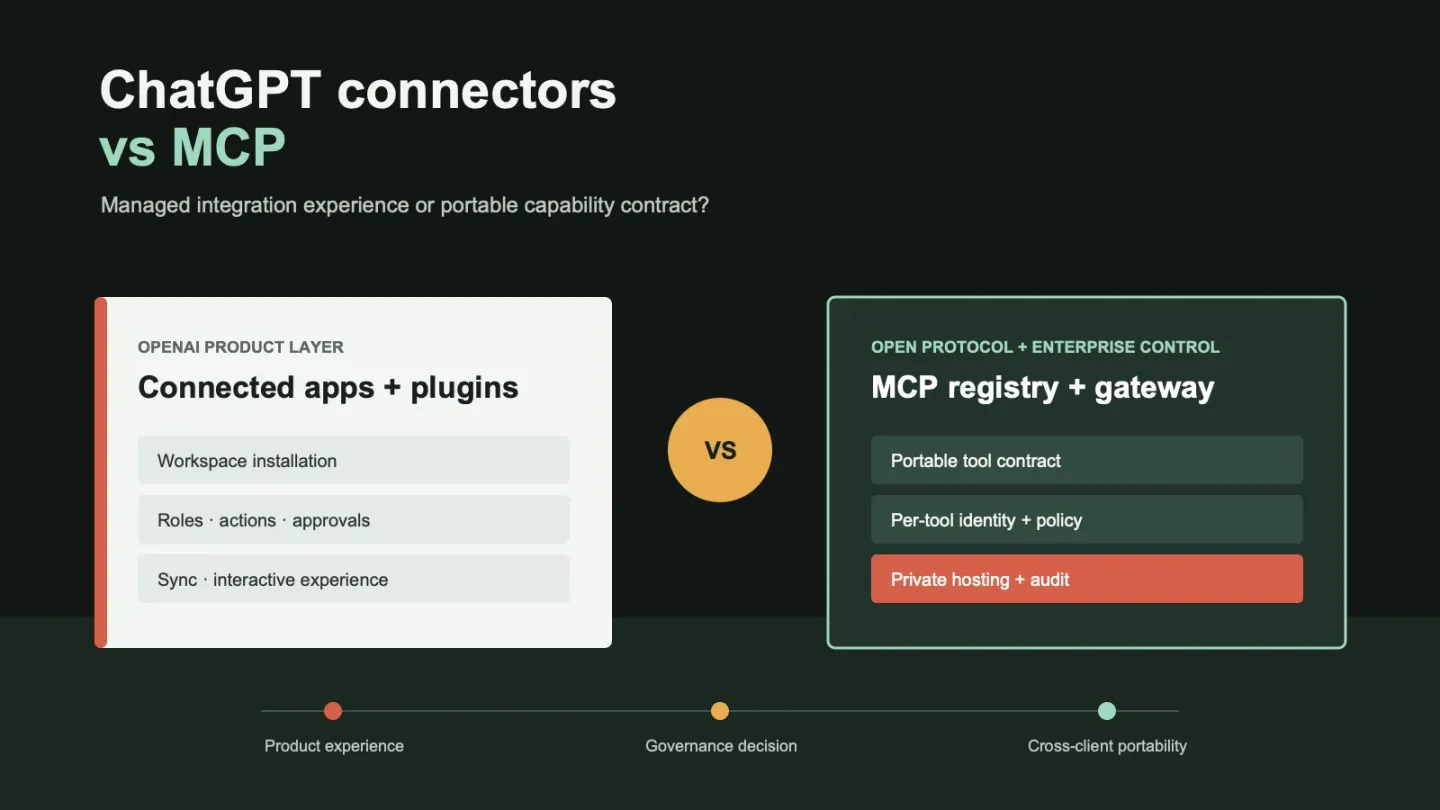
ChatGPT connected apps and MCP are not direct substitutes. Connected apps are OpenAI’s managed integration experience; MCP is an open protocol for discovering and invoking tools. OpenAI Business or Enterprise may be enough for teams working entirely inside ChatGPT. Organizations supporting several AI clients—business assistants such as ChatGPT and Claude Cowork, coding agents such as Codex and Claude Code, or AI-enabled IDEs such as Cursor—need a governed MCP layer to reuse integrations without rebuilding access policy for every vendor.
Key Takeaways
- ChatGPT connected apps are an OpenAI-managed product experience; MCP is an open protocol—they operate at different layers and are not interchangeable.
- OpenAI now labels built-in API connectors as legacy for models after September 2026. Newer integrations point to a remote MCP server URL instead.
- ChatGPT Enterprise provides role-scoped app access, approval prompts, and eligible compliance records; Business is primarily workspace-wide with fewer gates.
- One reviewed MCP tool contract can serve ChatGPT, Claude, Codex, and Cursor simultaneously—no need to rebuild identity and access policy for each client.
- MCP does not eliminate security work: trusted discovery, per-tool authorization, credential boundaries, human approval for sensitive actions, and auditable invocation records are still required.
Last verified: October 1, 2026. OpenAI’s product names, plan defaults, and administrative controls change frequently, so verify current documentation before making a purchasing or security decision.
What ChatGPT Connectors Are Now Called
OpenAI now describes integrations such as Google Drive, Slack, GitHub, and Microsoft 365 as connected apps. These apps bring external information and supported actions into ChatGPT. A plugin packages capabilities into a workflow and may contain one or more connected apps, reusable skills, templates, or interactive extensions.
That product language describes more than a network connection. It includes installation, account setup, workspace availability, role access, supported actions, approval prompts, sync, and the in-chat user experience.
OpenAI’s connected apps documentation makes several boundaries explicit:
- Installing a plugin does not bypass workspace approval or provider authorization.
- App availability depends on plan, region, workspace, role, model, and interface.
- App permissions determine when ChatGPT asks before reading information or taking an action; they do not grant the app new provider access.
- Information sent to a third-party app remains subject to that provider’s terms and data practices.
- ChatGPT Business, Enterprise, and Edu content accessed through apps is not used to train OpenAI models by default.
For an enterprise buyer, a ChatGPT connector is therefore best understood as an OpenAI-managed integration and governance experience, not as a portable integration standard.
What MCP Provides Beyond ChatGPT Connectors
The Model Context Protocol defines how an AI client discovers tools, resources, and prompts from a server and how it invokes those capabilities. A remote MCP server can expose an internal search service, ticket workflow, database operation, deployment action, or another approved capability to any compatible client.
OpenAI’s own MCP guide shows the direction clearly. Built-in API integrations using connector_id are labeled legacy connectors for models released after September 1, 2026. Newer integrations use a remote MCP server_url or a Secure MCP Tunnel for private servers.
MCP is increasingly the integration contract underneath OpenAI’s developer platform. ChatGPT still presents connected apps and plugins to users because MCP does not supply the complete product experience around installation, roles, actions, sync, or interactive views.
Connected Apps, Plugins, and MCP Are Different Layers
Connected apps and plugins are platform-specific products. They package integrations for a particular user experience and administrative model.
Platform-specific integration products
| Layer | What it provides | Who governs it | Portability |
|---|---|---|---|
| Connected app | Access to an external service inside ChatGPT, including supported retrieval, sync, or actions | OpenAI workspace plus the external provider | Primarily an OpenAI product experience |
| Plugin | A packaged workflow containing connected apps, skills, templates, or interactive extensions | Plugin publisher, workspace administrator, and app owner | Reusable across supported OpenAI surfaces, not automatically across other AI platforms |
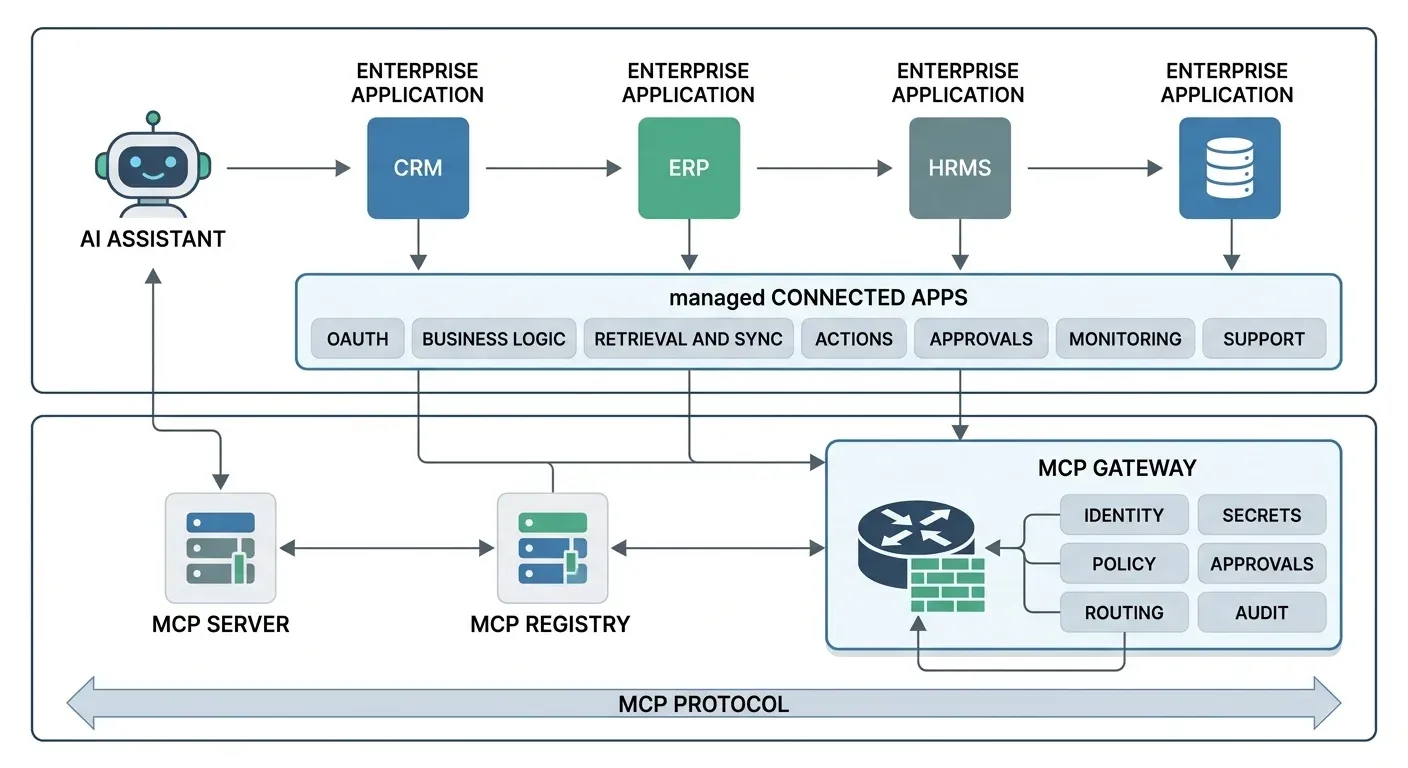
Platform-specific integrations can create lock-in beyond the user interface: identity rules, OAuth connections, stored secrets, approval policies, audit records, and integration lifecycle controls remain tied to the vendor’s administrative plane. MCP separates the capability contract from the AI client, allowing an enterprise to apply its own security and governance controls through infrastructure it builds, privately hosts from open-source components, purchases commercially, or combines across those approaches.
Open protocol and enterprise AI infrastructure
| Layer | What it provides | Build or hosting options | Portability |
|---|---|---|---|
| MCP protocol | The open contract for discovering and invoking tools, resources, and prompts | Implement with an SDK or compatible framework | Shared standard across compatible clients and servers |
| MCP server | A protocol endpoint that exposes a business capability, data source, or action | Build internally, deploy an open-source server, or use a provider-hosted server | Usable by compatible clients when identity and policy permit |
| MCP registry | Catalog, ownership, approved versions, environments, and lifecycle state | Self-host open-source software, build internally, or use a managed registry | Shared inventory across clients, teams, and model vendors |
| MCP gateway | Runtime identity, per-tool policy, credentials, approvals, routing, and audit | Privately host open-source or commercial software, or use a managed gateway | One enforcement point for multiple approved clients and servers |
A connected app or plugin may use MCP underneath, but it adds business logic and product features above the protocol: provider-specific OAuth, secret management, knowledge indexing, sync, actions, approvals, monitoring, and support.
The practical distinction is ownership. A connected app lets the organization configure an integration inside OpenAI’s operating model. An MCP architecture lets the organization own or select the protocol implementation and infrastructure, including where it runs, which clients can use it, and how policy is enforced.
OpenAI Business vs Enterprise Connector Governance
If the broader decision is which employee workspace to purchase, start with ChatGPT Enterprise vs Claude Enterprise. That comparison tests identity lifecycle, connected-account access and cost on the same business tasks; the integration-layer choices below apply after those requirements are clear.
Both OpenAI business plans provide a managed workspace and do not train on business data by default. Their administrative depth differs.
ChatGPT Business
According to OpenAI’s business pricing page, ChatGPT Business includes connections to common business systems, SAML SSO and MFA, centralized administration, and usage analytics. It is positioned for teams of 2–200 employees. Apps are generally enabled by default, and administrators manage workspace-wide availability.
ChatGPT Enterprise
ChatGPT Enterprise uses custom pricing and adds controls such as SCIM, Enterprise Key Management, domain verification, role-based access control, custom retention, data residency, support commitments, and eligible compliance capabilities. New Enterprise and Edu workspaces begin with a selected set of apps enabled; new plugins and apps are generally disabled by default, and eligible access can be assigned by role.
OpenAI’s plugin and app administration guidance documents additional operational boundaries that apply to both plans:
- Plugin installation and app access are separate. A plugin can remain installed while an included app is unavailable.
- Provider authorization, workspace access, read and write actions, future-action policy, and approval prompts are separate checks.
- Sync and live actions are separate data paths. Restricting one does not necessarily restrict the other.
- Compliance logs are plan- and feature-dependent. Teams should verify exported fields for each app rather than assuming every invocation is covered.
This is more precise than saying an organization can simply allowlist connectors. The enterprise control is an approved catalog with several gates: who can install a plugin, who can use each app, which provider account or managed source it can reach, which actions are enabled, and when a person must approve an action.
Governance Comparison: Connected Apps vs MCP
| Decision area | ChatGPT connected apps and plugins | MCP with an enterprise registry and gateway |
|---|---|---|
| Primary owner | OpenAI and the app or plugin publisher | MCP server owner and enterprise platform team |
| User experience | Installed and invoked inside supported OpenAI surfaces | Available to any approved MCP-compatible client |
| Integration breadth | Curated catalog plus custom apps | Any reviewed internal or external MCP server |
| Administration | Native OpenAI admin experience | Enterprise supplies registry, policy, and operations |
| Role controls | Enterprise and Edu support eligible role-scoped access; Business is mainly workspace-wide | Can map enterprise IdP groups to server- and tool-level policy |
| Read/write controls | App-specific actions and approval settings where supported | Tool-level allow, deny, and approval policy when supported by the gateway |
| Authorization | OpenAI workspace controls plus provider OAuth or managed connections | OAuth and workload identity patterns selected by the organization |
| Runtime coverage | Supported ChatGPT and OpenAI product surfaces | Multiple AI clients, agents, model providers, and internal applications |
| Audit visibility | OpenAI analytics and eligible Compliance Platform records | Organization-defined per-tool traces and policy-decision records |
| Private connectivity | Product-specific options and OpenAI Secure MCP Tunnel | Gateway can run inside the organization’s cloud or network boundary |
| Data boundary | OpenAI terms plus each connected provider’s terms | Enterprise chooses hosting, but every downstream server retains its own boundary |
| Vendor lock-in | Workflow and controls are coupled to OpenAI’s product model | Tool contract is portable; client behavior and administration still vary |
MCP Does Not Remove the Security Work
OpenAI’s MCP guide warns that a malicious server can exfiltrate context, alter tool behavior, or inject instructions. It recommends provider-operated servers where possible, explicit approval for sensitive actions, tool filtering, and logging the information shared with servers. For a technical threat model covering prompt injection, tool poisoning, token replay, and supply chain risks, see MCP server security hardening.
An enterprise MCP implementation still needs:
- Trusted discovery: Publish only reviewed servers and tools to each user or client.
- Identity and authorization: Preserve the initiating user or workload and evaluate access at the individual tool. For a Microsoft 365 environment, see how to control MCP tool access with Entra ID. For OAuth 2.1, PKCE, and token-binding patterns that prevent silent expiry and replay, see MCP gateway auth patterns.
- Credential boundaries: Issue or exchange credentials for the intended downstream resource instead of forwarding reusable tokens.
- Human approval: Pause consequential writes such as deployments, refunds, messages, or deletions.
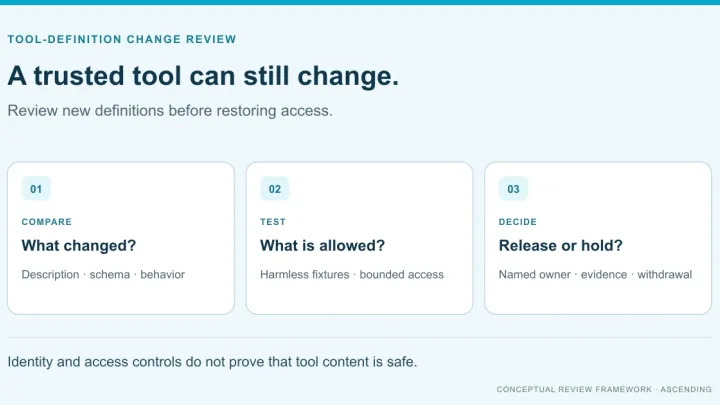
- Lifecycle controls: Approve versions, propagate revocations, deprecate capabilities, and remove stale routes.
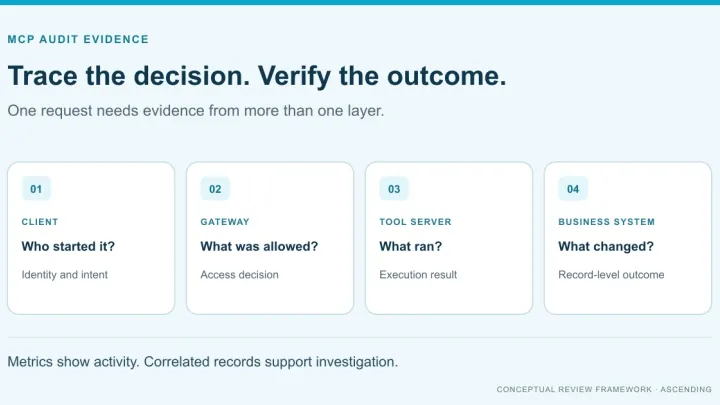
- Audit evidence: Record the identity, client, tool, arguments, policy decision, outcome, and correlated downstream call.
For the runtime controls and evidence to request, see what an MCP gateway must enforce. For ownership, versions, and lifecycle, see enterprise MCP registry architecture.
When ChatGPT Connected Apps Are Enough
Stay with ChatGPT connected apps when:
- ChatGPT is the organization’s primary AI interface;
- the required services already exist in the approved app catalog;
- OpenAI’s role, action, approval, sync, and compliance controls satisfy the use case;
- portability to other AI clients is not a current requirement; and
- the provider and OpenAI data boundaries are acceptable.
The managed experience is valuable. A native app can provide indexing, interactive UI, administrator setup, and support that a raw MCP endpoint does not recreate automatically. These conditions reflect the capability and governance scope described in OpenAI’s connected apps documentation and plugin administration guidance.
When to Add an Enterprise MCP Layer
Add a registry and gateway when:
- the same capability must serve ChatGPT and other AI clients;
- internal tools do not belong in a public or vendor-controlled catalog;
- platform teams need one approved inventory across business units;
- access must be enforced per tool rather than per connection;
- credentials and capability metadata must remain privately hosted;
- revocation and version changes must propagate consistently; or
- auditors need organization-owned invocation records.
MCP reduces integration lock-in because one reviewed tool contract can serve multiple clients. It does not make prompts, model behavior, user interfaces, or vendor administration identical. Portability is strongest at the capability boundary.
Example: A platform team has Microsoft 365 and Slack set up as ChatGPT connected apps for their business users. They now want Claude Code and Cursor to reach the same document and message context for their engineers. Rather than rebuilding OAuth flows and permission logic for each coding client, they expose the same operations through reviewed MCP tools behind a private gateway — one approval and audit path, consumed by all four clients.
Where Jarvis Registry Fits
Jarvis Registry is ASCENDING’s product, and ASCENDING publishes this article. Treat this section as product positioning to verify in a proof of concept, not as an independent review.
What Jarvis Registry Provides
Jarvis Registry combines a private capability catalog with MCP gateway and agent gateway controls. The intended enterprise value is:
- Consistency: Approved clients discover the same governed capabilities.
- Efficiency: Teams reuse validated integrations instead of rebuilding vendor-specific wrappers.
- Governance: Ownership, versions, access policy, credentials, and audit records are managed centrally.
- Private hosting: The registry, gateway, and sensitive capability metadata can remain inside the organization’s infrastructure boundary.
Governance Controls Included
Much of the governance plumbing an enterprise would otherwise have to build around raw MCP servers is already part of the platform:
- centralized invocation logs and audit trails;
- enterprise identity federation and role-based access controls;
- per-user OAuth connection and token handling;
- encrypted secret storage and controlled credential injection;
- server- and tool-level access policy;
- approval, routing, rate-limit, and lifecycle controls; and
- observability across clients, gateways, agents, and downstream tools.
Ready-to-Configure Enterprise Connectors
Jarvis Registry provides ready-to-configure connectors for common enterprise systems, including Google Workspace, Microsoft 365, GitHub, Slack, Jira, Confluence, Salesforce, and enterprise data platforms. These avoid rebuilding the MCP wrapper and governance integration for each client. “Ready to configure” does not mean zero setup: customer administrators still choose allowed capabilities, approve provider scopes or tenant consent, map identities and roles, and define which read or write actions require approval.
Recommended First Step
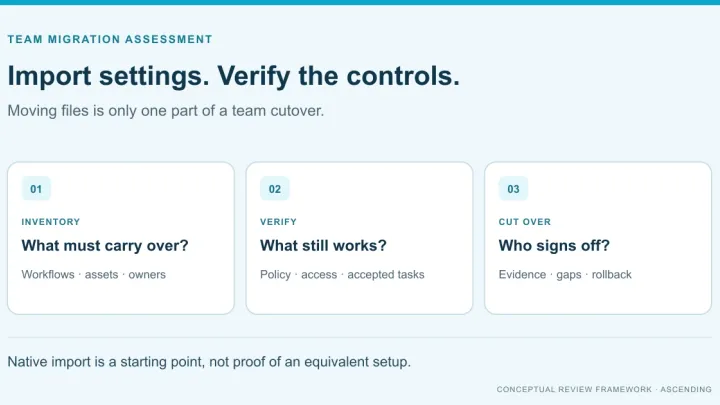
The practical first step is one workflow, not a platform-wide migration. Inventory its connected app, provider scopes, reads, writes, approvals, and audit trail. Expose the reusable business operations through reviewed MCP tools, then test allowed, denied, revoked, expired-credential, and approval-required paths from ChatGPT and one additional client.
For the engineering-client decision, see Codex alternatives for enterprise engineers, which compares Codex with Claude Code and GitHub Copilot without repeating this connector governance analysis.
ASCENDING can help design that proof of concept and assess which OpenAI integrations should stay managed apps and which should move behind a private, portable capability plane.
References
- OpenAI. Connected apps in ChatGPT. Retrieved October 1, 2026.
- OpenAI. Plugins in ChatGPT and Codex. Retrieved October 1, 2026.
- OpenAI. Admin controls, security, and compliance for plugins and apps. Retrieved October 1, 2026.
- OpenAI. MCP servers and legacy connectors. Retrieved October 1, 2026.
- OpenAI. Business and Enterprise pricing. Retrieved October 1, 2026.
- Model Context Protocol. Introduction. Retrieved October 1, 2026.
FAQ — ChatGPT Connectors vs MCP
What is the difference between ChatGPT connectors and MCP?
They are different layers. MCP is an open protocol for bringing tools and context to compatible AI clients, and custom connector-style integrations can use MCP underneath. A ChatGPT connected app adds a packaged application layer on top: provider-specific business logic, knowledge retrieval or sync, OAuth setup, permissions, actions, approvals, monitoring, and a supported user experience.
Are ChatGPT connectors being replaced by MCP?
An enterprise can replace a managed connector only by rebuilding its capabilities and exposing them through MCP. MCP standardizes the protocol boundary; the enterprise must still operate the knowledge base or index, OAuth flows, secret management, provider-specific business logic, action safety, monitoring, and support packaged above that boundary.
Does ChatGPT Enterprise let administrators approve specific connectors?
Enterprise administrators can govern eligible plugin installation and app access by role, then separately control supported actions and approval behavior. Provider authorization, source permissions, sync, and live actions remain separate controls that must also be reviewed.
Is MCP secure enough for enterprise use?
Yes, MCP can support enterprise use when servers and gateways are privately hosted and surrounded by security controls. The protocol alone is not the security boundary: the enterprise still needs trusted discovery, user and workload identity, per-tool authorization, encrypted secret management, approval for sensitive actions, lifecycle controls, network policy, and auditable invocation records.
When should an organization use an MCP gateway?
Use an MCP gateway when the same approved servers and tools must serve multiple AI clients: business assistants such as ChatGPT and Claude Cowork, coding agents such as Codex and Claude Code, and AI-enabled IDEs such as Cursor or VS Code with GitHub Copilot. The gateway provides one place to enforce identity, per-tool policy, credentials, approvals, routing, and audit instead of rebuilding those controls in every client.