Claude Code managed settings should produce a repeatable result on every supported developer environment. A successful rollout lets an engineer complete approved work, blocks a defined prohibited action, and leaves enough evidence to explain both outcomes. Corporate sign-in is one part of that design; local execution and access to connected systems need their own tests.
This guide starts with a small policy and builds an operational acceptance process around it. Product details were checked against Anthropic’s documentation on October 2, 2026. Record the installed Claude Code version before using newer controls.
Separate Claude Code SSO, Client Policy, and Tool Authorization
Consider a release engineer asking Claude Code to investigate a failed deployment. Three different decisions follow:
| Control boundary | Question the owner must answer | Evidence to collect |
|---|---|---|
| Identity and SSO | Is this person entitled to enter the organization’s approved account? | Assigned identity, organization, and sign-in result |
| Client policy | Which operations may this session attempt or approve? | Loaded policy source, effective rules, and denial result |
| Tool and resource authorization | May that identity read deployment status or trigger a rollback? | Downstream role, credential scope, and authorization record |
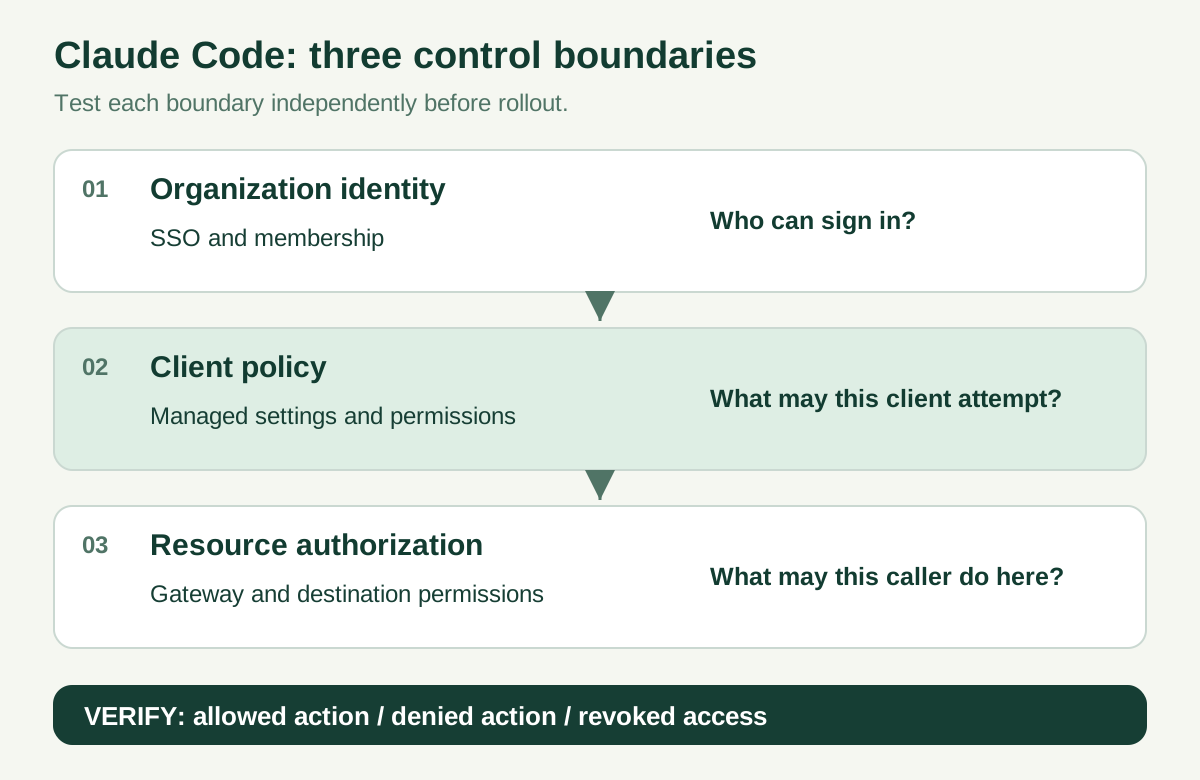
Test each boundary independently. A successful sign-in does not establish permission to change a production resource.
An engineer might be permitted to inspect a repository while lacking release approval. The assistant must preserve that distinction when it reaches a deployment API. Our EKS SSO integration guide addresses the related separation between federation and Kubernetes authorization; neither an EKS role nor an assistant seat should silently stand in for the other.
Establish the sign-in route before distributing policy
Anthropic’s SSO setup instructions distinguish Team and Enterprise organization Owners from Console Admins. Setup requires access to the organization’s domain and identity provider. Domain verification alone does not enforce SSO.
For the direct claude.ai account flow, Anthropic’s organization-login controls pair these keys in managed settings. Replace the placeholder with the organization UUID from your claude.ai admin settings before deployment:
{
  "forceLoginMethod": "claudeai",
  "forceLoginOrgUUID": "YOUR-ORGANIZATION-UUID"
}
Deploy through device management before first login; server-only policy arrives too late to direct that login. Keep the pins in remote policy too if it becomes the selected source. The managed organization key rejects a claude.ai login from another organization. However, the terminal’s interactive login screen only preselects the method, and Console logins do not enforce the same organization check. These keys do not universally govern Bedrock or other provider credentials. Inventory each authentication route and test it separately.
Choose a Delivery Route That Reaches the Actual Session
For a device-managed fleet, use the existing deployment channel. Confirm authentication and platform eligibility for server-managed settings before choosing centralized delivery.
A laptop policy does not automatically reach an Anthropic-hosted cloud session. Treat terminal, IDE, Windows, WSL, and hosted execution as separate rollout entries. Establish a documented delivery route for each before admitting it to the supported set.
Decide whether startup may proceed without fresh policy
For direct Anthropic delivery, a failed startup fetch normally uses cached policy, with documented exceptions. Without a cache, no server policy applies; endpoint policy still can. To require fresh policy, set forceRemoteSettingsRefresh: true: a failed fetch then exits. It applies only to sessions that fetch remote settings, starting at the next launch. Put it in OS/MDM policy or the system file before first use; a server-only value cannot protect a device that has never received it. Allow connectivity to api.anthropic.com; authentication subcommands remain exempt. See fail-closed startup.
Use the correct managed-settings.json location
The managed deployment reference gives these file locations:
| Environment | Policy file |
|---|---|
| macOS | /Library/Application Support/ClaudeCode/managed-settings.json |
| Linux and WSL | /etc/claude-code/managed-settings.json |
| Windows | C:\Program Files\ClaudeCode\managed-settings.json |
Current documentation excludes the legacy Windows ProgramData path. Check Windows and WSL separately rather than assuming one file covers both.
Protect the deployment artifact and record its checksum. A configuration that developers can replace at will is a different control from an administrator-owned policy. Keep credentials out of the policy repository; store only the references and configuration needed for the approved authentication flow.
Start with a Small, Reviewable Policy
Use a disposable repository with harmless .env and secrets content. Start with this documented permission baseline:
{
  "allowManagedPermissionRulesOnly": true,
  "permissions": {
    "disableBypassPermissionsMode": "disable",
    "deny": [
      "Read(./secrets/**)",
      "Read(./.env)"
    ]
  }
}
This is a test baseline, not a complete enterprise policy. Decide which legitimate commands need approval or preapproval before expanding deployment. Otherwise, an administrator may interpret increased prompts as failure and loosen the configuration without understanding the original requirement.
Describe the boundary the example actually tests
A successful Read denial proves the tested operation was denied. It does not establish complete data loss prevention. The same information could exist in a build log, another file, pasted context, a shell command’s output, or a connected service. Evaluate filesystem isolation, network access, secret handling, and downstream credentials as separate controls.
Keep the test content synthetic. Ask the client to use the specific tool and record the attempted operation. If it selects a different route, document that result as a different test rather than marking the original one successful.
Understand Precedence Before Diagnosing a Missing Rule
The settings precedence reference places managed settings above command-line, project-local, shared-project, and user settings. Permission lists and certain restrictive values have additional rules; a simple file-order diagram does not explain every result.
Within the managed tier, the deployment reference documents a default first-wins selection: remote policy, then OS policy, then managed files, then the Windows user-registry fallback. It does not merge every managed source by default. Some keys have cross-source exceptions. Optional managedSourcesBehavior: "merge" requires version 2.1.242 or later; use its key-specific rules rather than assuming every list combines identically.
For the first rollout, give one team ownership of the intended source. Before adding another delivery channel, review the overlapping keys and predict the resulting policy. Then verify that prediction on a representative machine. Keep the prediction beside the test result so a later administrator can distinguish deliberate precedence from accidental omission.
Govern MCP Servers and Downstream Permissions Separately
Anthropic’s managed MCP documentation distinguishes server distribution from server restrictions. An authoritative approved-server list needs allowedMcpServers together with allowManagedMcpServersOnly; the permission-rule lock in the example above does not lock the MCP allowlist. Cross-source behavior for that MCP lock requires version 2.1.273 or later.
Choose a distribution pattern deliberately. managed-mcp.json, provided servers, and an approved catalog have different behavior. Match the actual URL or command when reviewing a server; a friendly label is insufficient evidence about the destination. Check the documented exceptions for the specific host application.
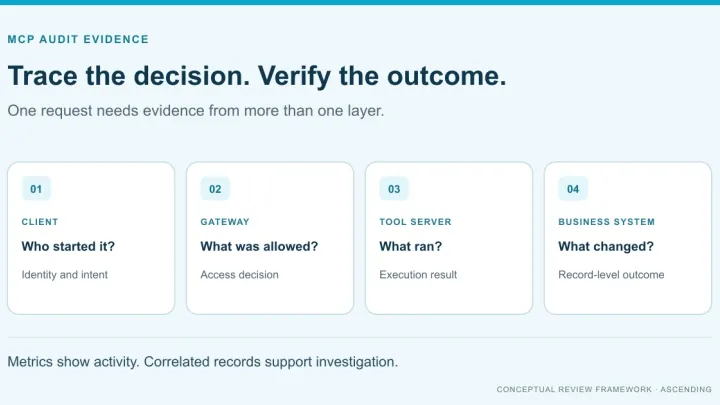
Then test the service behind the connection. An approved deployment server should still reject a rollback from a read-only engineer. Use the MCP gateway evaluation criteria to request evidence for caller identity, tool authorization, credentials, and audit records. Client policy and server authorization should each remain understandable when the other is functioning correctly. For the organization-wide controls around approved servers, such as owners, risk tiers and review dates, see the MCP governance checklist.
Verify Allow, Deny, and Revoke Behavior
Use /status to inspect loaded settings sources and /permissions to inspect effective permission rules. The settings reference explains that a source listing is not a per-key provenance report. For remote delivery, Anthropic documents the claude doctor managed-settings fetch result in version 2.1.248 and later. Diagnostic detail varies by release, so save the version with the output.
Run this acceptance matrix in a controlled environment:
| Test | Expected result to define before testing | Evidence |
|---|---|---|
| Allowed work | A small approved repository task completes | Task result and relevant approvals |
| Wrong organization | A claude.ai login outside the pinned organization fails; separately test other credential routes | Authentication route, organization, and rejection |
| Unavailable policy at startup | With refresh enforcement, an eligible session exits when policy cannot be fetched; test with and without a cache | Client version, delivery route, and startup result |
| Restricted Read | Reading the synthetic protected file is denied | Tool, path, and denial |
| Local override attempt | A conflicting local permission does not defeat the intended managed restriction | Local change, effective rules, repeated denial |
| Unapproved MCP server | The configured restriction blocks the test connection | Destination and client result |
| Restricted downstream action | An approved connection cannot execute an unauthorized operation | Server-side denial with caller identity |
| Revoked access | New authentication and existing sessions meet the documented revocation requirement | Timestamps and resource results |
| Fresh session | Restarted terminal or IDE retains the intended policy | Version and selected source |
For revocation, specify the acceptable delay in advance. Test account removal, source-system permission removal, and token revocation as distinct events. An existing session may exercise a different path from a fresh login; measuring both is more useful than a screenshot of a disabled account.
Roll Out in Stages and Rehearse Rollback
Promote a tested policy revision
Start with a disposable environment, then a small representative cohort, then broader deployment. Include each supported OS and execution route. Record unexpected prompts, blocked legitimate work, missing policies, and failed resource authorization separately; they need different fixes.
Use the AI readiness checklist to assign an owner and acceptance evidence before expansion. Link each exception to a business requirement, an approver, and a review date. Avoid permanent exceptions whose only explanation is that a developer was blocked once.
Restore the last accepted configuration
Keep the previous policy artifact and its delivery instructions. Rehearse restoring it, starting a fresh session, repeating the allowed task, and confirming the essential restrictions remain effective. Removing a broken policy without replacement can create a larger gap than the failed release.
Pause expansion when a required environment cannot produce evidence. Rollback should restore a known operating state, with the incident and remaining exceptions recorded for the next revision.
Connect the Rollout to the Wider AI Operating Model
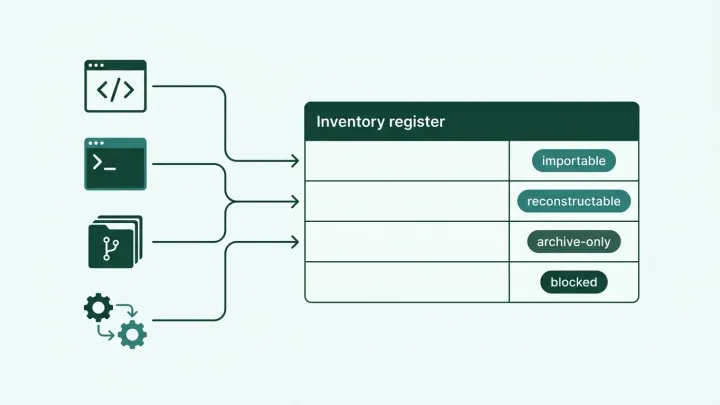
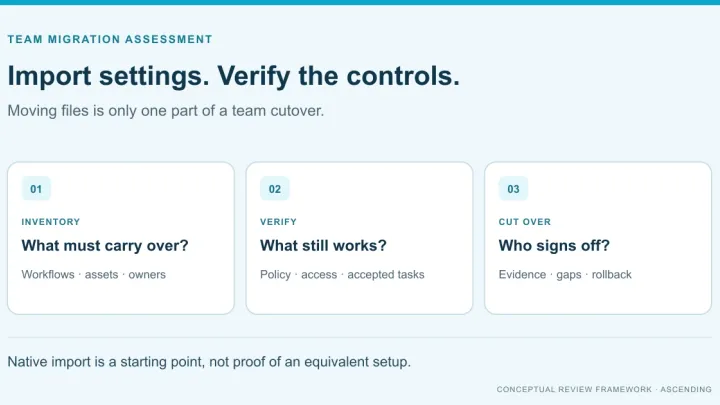
If your organization is still choosing a workspace, use the ChatGPT Enterprise versus Claude Enterprise comparison first. For the engineering-client decision, our Codex alternatives guide compares a different layer of the stack. If developers may touch regulated data, read Governing Claude Code for IT to see what Claude Code HIPAA coverage includes and excludes. If developers are moving from Cursor, Cursor to Claude Code: what maps and what does not shows which rules, hooks and policy settings carry over and which you rebuild. Before any coding agent migration, a migration readiness assessment identifies which existing controls these managed settings must reproduce.
ASCENDING can help scope an evaluation around one repository, one identity provider, and one connected workflow through the contact page. Bring the acceptance matrix and failed cases. The useful deliverable is a documented policy and authorization design that your administrators can operate and retest.
References
- Anthropic: Deploy managed settings
- Anthropic: Settings files and precedence
- Anthropic: Configure server-managed settings
- Anthropic: Control MCP server access for your organization
- Anthropic: Set up single sign-on
- Anthropic: Authentication and organization-login controls
Claude Code administration questions
What are Claude Code managed settings?
They are organization-deployed client settings. Treat deployment as a release: record the selected source, test the intended restrictions, and retain a rollback policy.
Where does managed-settings.json go on Windows?
Use C:\Program Files\ClaudeCode\managed-settings.json. The legacy ProgramData location is not read by current Claude Code documentation.
Does Claude Code SSO authorize access to every MCP tool?
No. Evaluate sign-in, client policy, and downstream authorization separately. Test an allowed operation, a denied operation, and access after revocation.
Does a Read deny rule provide complete data loss prevention?
No. A narrow tool rule cannot establish every data boundary. Review shell access, network controls, credentials, copied content, and connected services separately.
How should we validate a managed settings rollout?
Capture the client version and policy source, inspect effective permissions, run harmless allow and deny cases, and repeat after restarting and restoring the previous policy.