MCP governance is the set of decisions that determine which MCP servers your company connects, who owns each one, which users and agents may call which tools, and what evidence you keep of every call. Here, “governance” means the enterprise program, not the governance of the Model Context Protocol project itself.
Eight controls cover it. Each has an owner and a clear “done when” test, so a security reviewer can check it without reading your architecture documents.
Key Takeaways
- Govern MCP at the tool level, not the server level: a user who may reach a server should not automatically be able to call every tool on it.
- Every server needs a named owner, a risk tier and an approval record before it is visible to AI clients.
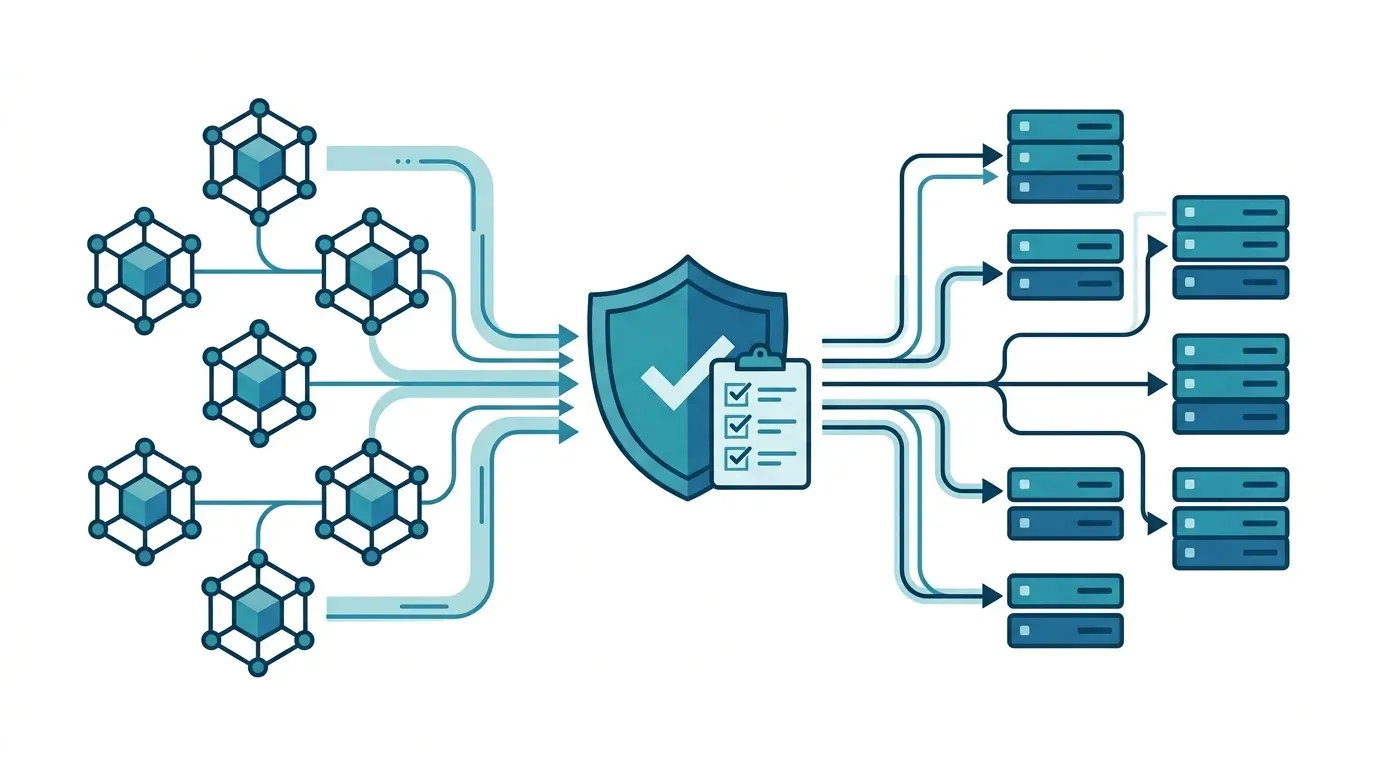
- Use one enforcement point for identity, per-tool permission and logging, so each server does not reinvent them.
- Never pass the user’s token through to downstream systems. The MCP specification forbids it, and it breaks your audit trail.
- Keep evidence where your auditors already look: traces and logs in your own environment, under your own retention rules.
How do you govern MCP servers across a company?
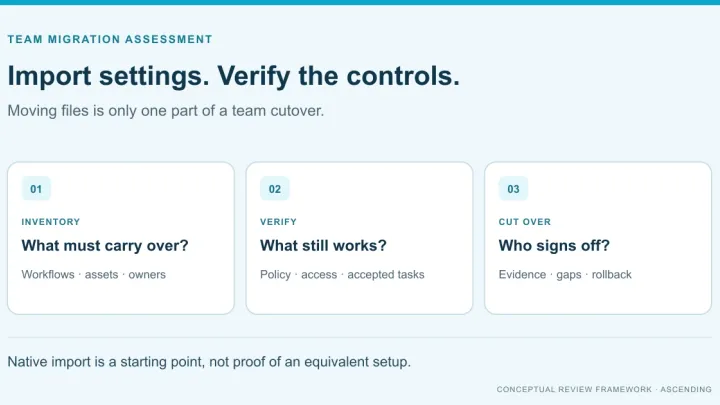
Treat every MCP server as a production integration with an owner, and put one control point in front of all of them. The table lists the eight controls this checklist walks through.
| # | Control | Owner | Done when |
|---|---|---|---|
| 1 | Inventory and discover servers | Platform team | Every server in every cloud is in one catalog, and unlisted ones are investigated |
| 2 | Assign an owner and a risk tier | Security and app owner | Each server has a named owner and a tier that sets its review depth |
| 3 | Require approval before connecting | Security and GRC | No server is visible to AI clients without a recorded approval |
| 4 | Control identity and per-tool permissions | Security | Two test users get different results on the same tool |
| 5 | Authenticate outbound calls per user | Platform and security | Each server gets its own scoped token, and no token is passed through |
| 6 | Choose one enforcement point | Platform team | All calls pass through it, with no direct route around it |
| 7 | Log, trace and keep evidence | Security and GRC | Each call is traceable to a user, tool and policy decision |
| 8 | Review, version and retire | Server owner | Changes trigger review, and unused servers are removed |
What does MCP governance cover, and what doesn’t it?
It covers how your organization connects to and controls MCP servers. It does not cover how the MCP project itself is governed, which some search results for this term describe instead. It also does not replace model governance (which models you may use) or data governance (what the underlying systems may expose). It sits between them: it decides which tools an agent may reach, and under whose identity.
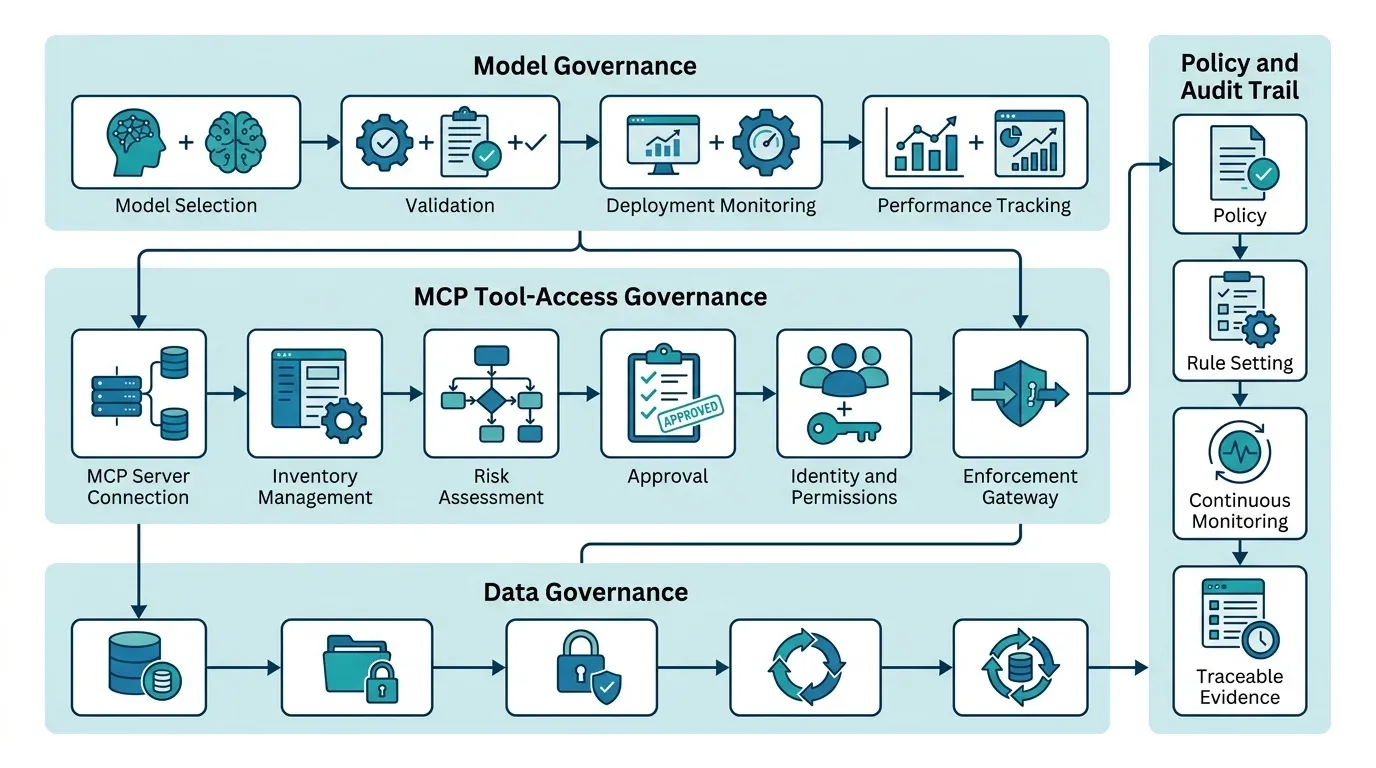
If you want the wider frame, the Enterprise AI Governance Framework post maps policy, evidence and inventory across the whole AI platform. This checklist zooms in on the MCP layer.
The checklist
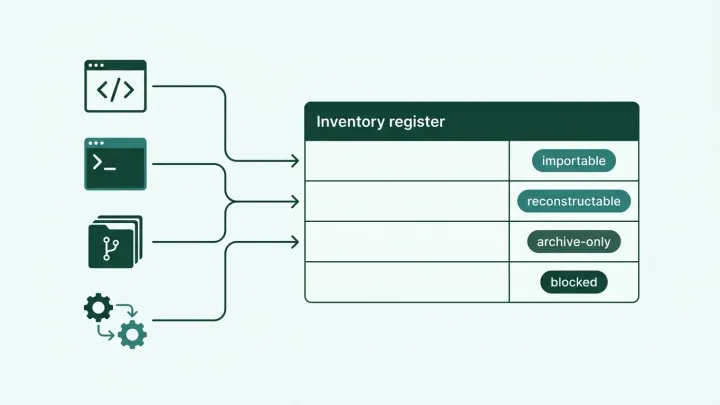
1. Inventory and discover every MCP server
You cannot govern servers you cannot see. List every MCP server in use, including ones registered in cloud catalogs and ones developers added to their own tools.
Most enterprises end up with servers in more than one cloud. A federated catalog helps here: it imports servers from where they are registered into one list, so the inventory does not depend on a single cloud. The MCP project’s own MCP Registry covers only publicly accessible servers and recommends that private servers go in your own private registry, which is why an internal catalog is part of this control. The registry is currently in preview. The Jarvis MCP gateway documents AgentCore imports for MCP servers and agents; its Azure AI Foundry integration documents agent import. Don’t assume both integrations import identical resource types. See Enterprise MCP Registry Architecture for how discovery, identity, policy and audit layers fit together.
Done when: one catalog lists every server, with its source, and any call to an unlisted server raises an investigation.
2. Assign an owner and a risk tier
Every server needs a person who answers for it. Add a risk tier based on what its tools can do: read public data, read internal records, change records, or move money or access. The tier decides how deep the review goes and who must approve.
Done when: each catalog entry names an owner, a tier and a review date.
3. Require approval before a server connects
Make approval a gate, not a courtesy. A server that has not been approved should not appear to AI clients at all. Define what reviewers check: who built it, what data it reaches, what credentials it needs, and which tools it exposes.
Permission-scoped discovery supports this. The Jarvis gateway page describes visibility per client, so a client sees only the servers and tools it is allowed to see.
Done when: every visible server has a recorded approval, and removing the approval removes the server from view.
4. Control identity and per-tool permissions
Signing in proves who the caller is. It does not decide what they may do. Permissions should apply per tool and be checked on every call, so a user with access to a server does not automatically get its most sensitive tools.
The Jarvis gateway page describes RBAC scopes and resource ACLs governing access to MCP servers and tools. Verify the identity and authorization used at each downstream hop rather than assuming sign-in propagates every permission. For a worked rollout using Microsoft Entra ID, read How to Control MCP Tool Access with Microsoft Entra ID.
The MCP project’s own guidance supports the same least-privilege approach. Its security best practices recommend a minimal initial scope set, with broader scopes requested only when an operation needs them, because broad tokens widen the damage if one is stolen (MCP security best practices).
Done when: two test users with different roles get different results on the same tool, and a change of role takes effect on the next call.
5. Authenticate outbound calls per user, and never pass tokens through
When an MCP server calls a downstream system, the credential it uses is a governance decision. The MCP authorization specification states that servers must accept only tokens issued for them, and the security guidance forbids token passthrough, partly because it makes audit trails unreliable: downstream logs show a different identity than the one that actually made the request (MCP authorization specification, 2026-07-28 version, security best practices).
AWS prescriptive guidance gives a concrete reason. If an agent reuses a user’s broad credentials, a mistaken tool call can do anything that user can do, so downstream calls should use narrowly scoped tokens, and tokens should not be shared between tools and servers (AWS Prescriptive Guidance, MCP governance strategy).
The Jarvis gateway page documents encrypted storage and refresh for downstream OAuth 2.0 credentials, without exposing raw credentials to the calling copilot. Validate the authorization flow, credential scope and user mapping for each integration. The MCP authorization specification builds on the OAuth 2.1 IETF draft and RFC 8707 resource indicators. A protocol requirement isn’t evidence that every deployment implements it correctly.
Done when: each outbound call uses a token scoped to that server and user, and a review of one tool call shows no reused or forwarded credential.
6. Choose one enforcement point
If each server enforces its own rules, your controls are only as consistent as the weakest server. Put identity, permission and logging in one place in front of all of them. That can be a gateway, a registry with enforcement, or a combination. Registries and gateways do different jobs, and the registry architecture post explains the split.
Whatever you choose, test the bypass: can a client reach a server directly without passing through the control point? If yes, the control point is optional, not governing.
Done when: direct routes to approved servers are closed, and the only way to call them is through the enforcement point. For criteria to compare options, see What Is an MCP Gateway? Enterprise Evaluation Criteria.
7. Log, trace and keep evidence
Auditors ask who did what, when, and under which policy. You need that answer for every tool call, not as a sample.
The MCP project’s security guidance points the same way. It asks servers to log scope elevation events, including the scope requested and the subset granted, with correlation IDs, and it warns that token passthrough makes incident investigation and auditing more difficult (MCP security best practices).
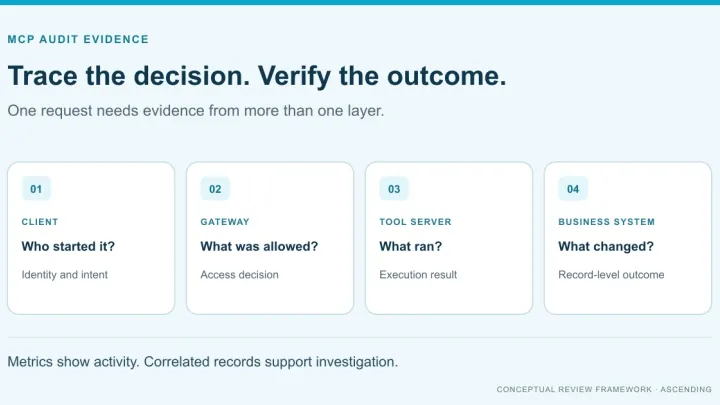
The Jarvis observability documentation distinguishes platform metrics from agent LLM traces. It doesn’t establish per-call identity, payload or policy-snapshot logging. Request sanitized records from the proposed deployment and identify which additional instrumentation supplies missing evidence. Customer hosting doesn’t determine every telemetry destination: review the collector’s configured backends, access and retention separately.
Use the MCP audit evidence worksheet and acceptance tests to separate a permission decision from server execution and the downstream business outcome.
The same applies to compliance. The gateway runs in your environment, so your own controls and audit scope apply to it, whether your framework is SOC 2, ISO 27001, HIPAA or another standard. This page does not claim a certification for Jarvis itself: your auditors assess your deployment against the framework you choose.
AWS recommends tracking operational metrics such as tool latency and the number of tools registered with an agent, so you notice when a server changes (AWS Prescriptive Guidance).
Done when: one tool call can be traced from user to tool to policy decision, and your retention rule is applied to the records.
8. Review, version and retire
MCP servers change. A tool added to an approved server can add a risky capability without anyone re-reviewing it. Treat a change to a server’s tool list as a trigger for review, and set a review date for every server.
Use the tool-definition change-review checklist to record the approved artifact, review changes and test withdrawal. Definition approval isn’t a guarantee that returned content is safe.
Remove servers that nobody uses. An unused server with live credentials is risk without value.
The same review applies on the client side. If developers run Claude Code, for example, an admin allowlist decides which servers it may connect to. Claude Code Managed Settings and SSO shows how to set that up and test it. Governing Claude Code for IT adds the HIPAA and sign-in routing view.
Done when: a changed tool list triggers re-review, and a report of unused servers is reviewed on a schedule.
Who owns what?
Ownership follows the same split as the wider AI governance framework: the platform team runs the machinery, security and GRC set the rules and evidence, and each server has one accountable owner.
| Role | Owns |
|---|---|
| Platform team | Catalog, federation, enforcement point, telemetry pipeline |
| Security | Risk tiers, approval criteria, identity and permission model |
| GRC | Evidence requirements, retention rules, audit scope |
| Server owner | The server’s tools, credentials, changes and review date |
A first-30-days plan
This is a suggested starting point, not a benchmark.
- Week 1: list every server you can find and name an owner for each. Close the gaps where nobody owns a server.
- Week 2: assign risk tiers and define what approval requires. Pick one tier-one tool to pilot.
- Week 3: route that pilot through one enforcement point with per-tool permissions, and test with two roles.
- Week 4: review one traced call end to end with security and GRC, set the retention rule and decide which servers move next.
Where Jarvis fits, and what to verify
Jarvis is an open source project built and maintained by ASCENDING Inc. The MCP gateway documents discovery, access controls, downstream OAuth credential handling and platform telemetry. Verify each against your deployment; operational metrics alone don’t satisfy control 7’s audit requirements. Approval workflow, risk tiers and review cadence are processes your team defines, with enforcement behavior tested separately.
In a demo, bring one real server and two real users, and verify:
- The server appears in discovery for one user and not the other.
- For an allowed call and a blocked call, inspect the available records and identify missing identity, decision or outcome evidence.
- The outbound call uses a token scoped to that server.
- You can send the telemetry to your own backend and apply your own retention rule.
References
- Model Context Protocol. “Authorization”, specification version 2026-07-28.
- Model Context Protocol. “Security Best Practices”.
- Model Context Protocol. “The MCP Registry”, currently in preview.
- IETF. “Resource Indicators for OAuth 2.0”, RFC 8707.
- IETF OAuth Working Group. “The OAuth 2.1 Authorization Framework”, Internet-Draft (work in progress).
- AWS. “MCP governance strategy”, AWS Prescriptive Guidance.
- ASCENDING. “Jarvis MCP Gateway”.
- Jarvis Registry. “Observability”.
Original sources checked October 4, 2026. Jarvis federation and telemetry wording rechecked October 19. Protocol revisions and preview services can change; verify the deployed versions during evaluation.
MCP Governance Questions
What is MCP governance?
MCP governance is the set of decisions and controls that determine which MCP servers an organization connects, who owns each one, which users and agents can call which tools, and what evidence is kept of every call. It is separate from governance of the MCP protocol project itself.
Do I need an MCP gateway to govern MCP servers?
You need one enforcement point that applies identity, permission and logging rules to every call. A gateway is a common way to provide it. Without one, each server enforces its own rules, and the checklist controls drift apart. See What Is an MCP Gateway? for evaluation criteria.
How do I find MCP servers that employees set up without approval?
Start with the catalogs you already have, such as cloud registries and developer tool configurations, then compare them with what clients actually connect to. A gateway that is the only approved route to MCP servers makes the unapproved ones visible, because calls that bypass it are the exceptions to investigate.
How is MCP governance different from API governance?
API governance usually controls who may call an endpoint. MCP governance also has to control which tools an AI agent may choose to call, whose identity the call runs under, and what the agent is allowed to do on a user's behalf. Tool-level permission and identity propagation matter more than they do for a fixed API client.