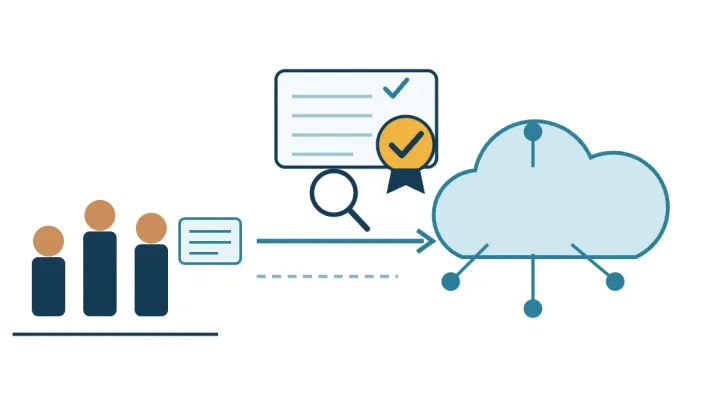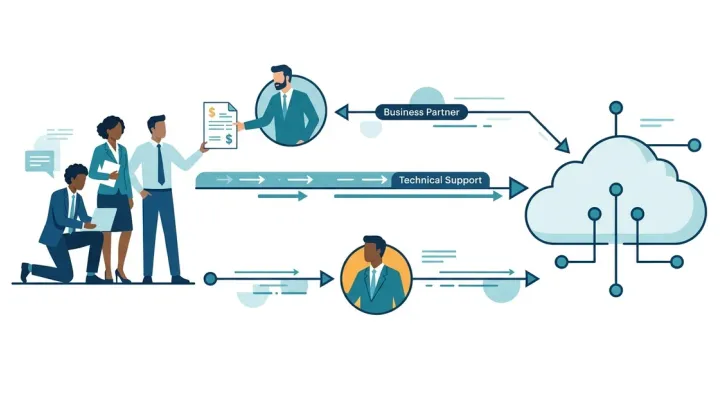




A cross-service Private Pricing Agreement (PPA), usually just called a PPA, is what AWS customers used to call the Enterprise Discount Program (EDP): one negotiated commitment on your spend across many AWS services. Savings Plans are a different thing, a self-service commitment to a set dollar amount of eligible usage per hour. They are not rivals. They sit at different layers of the bill and, in ASCENDING’s experience, can stack. AWS does not publish how a PPA discount applies to usage a Savings Plan covers, so confirm the details with your AWS account team.
This guide compares AWS Savings Plans with the EDP, now the cross-service PPA. It sorts out the names buyers use, shows what each commitment locks you into, and gives you the questions to put to AWS in writing before you sign either. It is about the cross-service PPA, the form that covers your overall commitment, and from here on it says “PPA” for short, as most buyers do. The same agreement scoped to a single service gets a short note below.
Last verified against AWS pages on 2026-11-04. Discount figures below are AWS’s “up to” ceilings, not expected savings. Check the sources in References before you rely on a number.
Key takeaways
- The PPA this guide covers is the cross-service PPA, the old EDP: your overall commitment is exchanged for discounts across 200+ eligible services. It is the same program as a single-service PPA with a wider scope, so ask which scope you are being offered.
- A Savings Plan commits you to a dollar amount per hour. A PPA commits you to spend across a wide range of AWS services over a defined term.
- In ASCENDING’s experience, Savings Plans and Reserved Instances can stack with a PPA. AWS does not publish PPA terms, so confirm how they combine with your AWS account team.
- Size a Savings Plan to the usage you are sure of, not to your average. The worked model below shows why.
One program, two scopes, plus Savings Plans
The names overlap, so start with what each one means. A single-service PPA and a cross-service PPA are not separate programs. They are the same private pricing agreement at two different scopes, and buyers usually call the cross-service one just “a PPA”. This is how ASCENDING uses the terms. AWS’s public pricing page describes Private Pricing in general, as commercial benefits in exchange for a commitment, and does not publish these names.
| Name | What it is | Covered in this guide |
|---|---|---|
| EDP (Enterprise Discount Program) | The former name of the cross-service PPA | Yes, as “PPA” |
| Cross-service PPA (usually just “PPA”) | The agreement extended: your overall commitment is exchanged for discounts across 200+ eligible AWS services | Yes, the main subject. “PPA” below means this |
| Single-service PPA | A volume commitment on one particular AWS service exchanged for a discount | Briefly |
| Savings Plans | A self-service commitment to dollars per hour of eligible usage | Yes |
In one line each:
- A Savings Plan is a commitment to a consistent dollar amount of eligible usage per hour, for one or three years (Database plans: one year).
- A PPA is a private pricing agreement that exchanges a commitment for a discount from AWS.
- A cross-service PPA, formerly the EDP, is a PPA whose overall commitment is exchanged for discounts across 200+ eligible AWS services.
- A Reserved Instance (RI), the older instance-level commitment, is a commitment to a specific resource configuration for a term.
So the working comparison is a PPA, Savings Plans and RIs. For the naming history and negotiation advice, see our PPA and EDP negotiation guide.
How AWS Savings Plans work
A Savings Plan is a commitment to a consistent amount of usage, measured in dollars per hour. AWS charges the discounted Savings Plans price for usage up to your commitment and bills anything beyond it at regular On-Demand rates (AWS Compute Savings Plans).
The four types
AWS offers four types, each with a published ceiling on savings against On-Demand (Savings Plans FAQ):
| Type | What it covers | AWS ceiling | Term |
|---|---|---|---|
| Compute | EC2 regardless of family, size, Region, OS or tenancy, plus Fargate and Lambda | Up to 66% | 1 or 3 years |
| EC2 Instance | One instance family in one Region | Up to 72% | 1 or 3 years |
| SageMaker | Eligible SageMaker ML instance usage | Up to 64% | 1 or 3 years |
| Database | Aurora, RDS, DynamoDB, ElastiCache and other eligible database services | Up to 35% | 1 year, no upfront |
These are “up to” figures. What you save depends on the service, the usage and the plan you pick.
How the commitment is applied
Three rules from AWS’s user guide matter for sizing (how Savings Plans apply to your usage):
- Savings Plans apply after EC2 Reserved Instances. EC2 Instance Savings Plans apply before Compute Savings Plans.
- AWS applies your commitment to the usage with the highest savings percentage first, until the commitment is used up. Anything left is billed On-Demand.
- Each hour’s commitment can only be used within that hour. It cannot be carried over.
The third rule is the one that drives the worked model below. A quiet hour does not bank credit for a busy one.
Mechanics worth knowing
You can pay No Upfront, Partial Upfront or All Upfront (Database plans have one payment option). By default a Savings Plan applies across every account in an AWS Organization, and you can restrict it. A Savings Plan does not reserve capacity. Returns are narrow: only a plan with an hourly commitment of $100 or less, bought in the past 7 days and in the same calendar month. Database Savings Plans cannot be combined with Reserved Instances on the same workload (Savings Plans FAQ).
How a PPA works
AWS describes Private Pricing as access to commercial benefits in exchange for a commitment: discounts on more than 200 eligible AWS services over a defined term, available whether you buy from AWS or an AWS partner. To start, AWS points you to your account manager (AWS pricing). A cross-service PPA is that same agreement with its reach extended: your overall commitment is exchanged for discounts across those services, not just one. In the rest of this guide, “PPA” means this form.
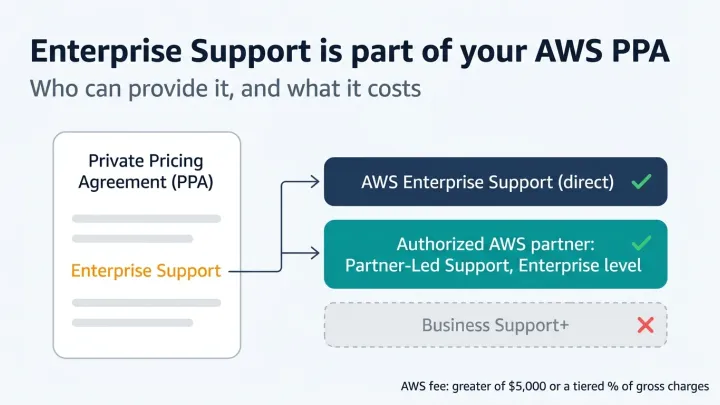
AWS does not publish the minimum commitment, the discount schedule or the shortfall terms. Those are in the agreement. Treat any minimum or typical discount you read elsewhere as unverified. What to scrutinize before you sign, including the true-up clause, is in our negotiation guide. One more fact from that cluster: Enterprise Support is mandatory in a cross-service PPA, and an authorized partner can provide it (details).
The single-service PPA
Scoped to one service, the same agreement trades a volume commitment on that service for a discount. It is closer in spirit to a Savings Plan than a PPA is, because both reward committing to a defined slice of usage. If most of your spend sits in a single service, ask your account team whether a single-service PPA is on the table. This guide does not cover those terms, and AWS does not publish them.
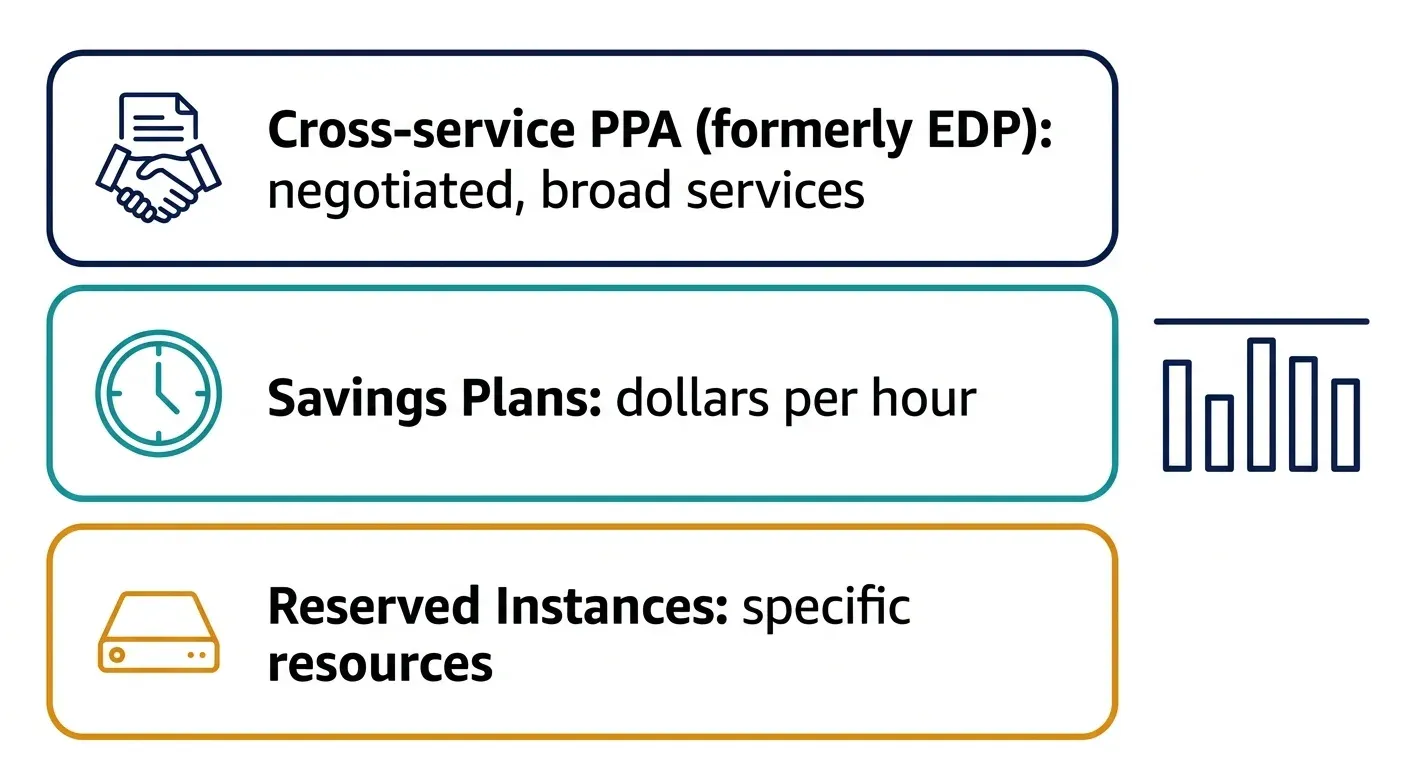
Savings Plans vs PPA vs Reserved Instances, side by side
The simplest way to separate them is by what you are committing and who can change the terms.
| Savings Plans | PPA (formerly EDP) | Reserved Instances | |
|---|---|---|---|
| Scope | Eligible compute, SageMaker or database usage | Eligible services across the bill; AWS cites 200+ for Private Pricing | A specific resource configuration |
| Commitment unit | Dollars per hour | Spend over a term | A resource for a term |
| Horizon | 1 or 3 years (Database: 1) | Defined term in the agreement | 1 or 3 years |
| Flexibility | Compute plans move across family, size, Region and service | Per agreement | Least, by configuration |
| Who negotiates | Nobody; published rates | You and your AWS account team | Nobody; published rates |
| Shortfall exposure | Hourly commitment is lost if usage is lower | Set in the agreement (true-up) | Paid whether used or not |
| Capacity reservation | No | No | Depends on RI type |
| Effect on the support fee | Included in the calculation | Not reduced by the discount | Included in the calculation |
On RIs, AWS’s FAQ puts the Compute Savings Plans ceiling (66%) alongside Convertible RIs and the EC2 Instance ceiling (72%) alongside Standard RIs, and encourages moving to Savings Plans as RIs expire.
The last row of the table is the one most buyers miss. AWS calculates Enterprise Support fees on gross monthly AWS charges “before any discounts or credits are applied”. Upfront and recurring charges for Savings Plans and RIs are included in that calculation (AWS Support pricing). Neither commitment lowers your support bill. Use the Enterprise Support cost worked examples to see the fee at your own spend, and AWS Support plans in 2026 for the current plan names and minimums.
Do they stack? What AWS says, and what to ask
In ASCENDING’s experience, Savings Plans and Reserved Instances can stack with a PPA. You do not have to pick one commitment and give up the other, and customers commonly hold all three.
AWS’s public pages say less. The Savings Plans pages we reviewed do not mention Private Pricing Agreements, and AWS does not publish PPA terms. So the order in which discounts apply, the size of the combined saving and whether commitment purchases count toward your PPA commitment are things to confirm, not assume. Any article that gives you a fixed order of discounts or a combined percentage as a rule is not quoting AWS.
Even though they can stack, confirm the details with your AWS account team, in writing:
- How is the PPA discount applied to usage that a Savings Plan or Reserved Instance covers?
- Do Savings Plans and Reserved Instance purchases count toward my PPA commitment?
- If Savings Plans lower my On-Demand spend, what happens to my progress against the commitment, and to any shortfall?
Those answers decide how much a Savings Plan adds on top of the PPA, and whether buying Savings Plans before a PPA negotiation helps, hurts or does nothing to the deal.
Size your Savings Plans commitment: a worked model
A Savings Plan is a fixed hourly commitment. The question is how much steady usage you have, not how big a discount you want. The tables below walk through every number. They are illustrative, not a customer story.
Step 1: the assumptions.
| Assumption | Value |
|---|---|
| Plan discount versus On-Demand | 30% (an example figure below the AWS ceilings) |
| Plan rate | 70% of the On-Demand rate |
| Usage covered by a $70 per hour commitment | $100 per hour at On-Demand rates ($70 / 0.70) |
| Usage covered by a $42 per hour commitment | $60 per hour at On-Demand rates ($42 / 0.70) |
| Cost of an hour with the plan | The commitment, plus any usage the commitment does not cover, billed On-Demand |
| Left out | Upfront payment options, Reserved Instances, taxes and any PPA |
Step 2: the four usage patterns.
| Pattern | Hourly usage at On-Demand rates | Commitment tested |
|---|---|---|
| Steady | $100 every hour | $70 |
| Spiky | $140 in half the hours, $60 in the other half | $70, then $42 |
| Shrinking | $100 at first, then $50 after a migration | $70 |
Step 3: cost of one hour under each pattern.
| Pattern and hour | Usage | Commitment | Usage the commitment covers | Uncovered, billed On-Demand | Hour cost with plan | Hour cost without plan | Difference | Commitment used |
|---|---|---|---|---|---|---|---|---|
| Steady, any hour | $100 | $70 | $100 | $0 | $70 | $100 | -$30 | 100% |
| Spiky, busy hour | $140 | $70 | $100 | $40 | $70 + $40 = $110 | $140 | -$30 | 100% |
| Spiky, quiet hour | $60 | $70 | $100 | $0 | $70 | $60 | +$10 | 60% ($42 of $70) |
| Spiky, busy hour | $140 | $42 | $60 | $80 | $42 + $80 = $122 | $140 | -$18 | 100% |
| Spiky, quiet hour | $60 | $42 | $60 | $0 | $42 | $60 | -$18 | 100% |
| Shrinking, early | $100 | $70 | $100 | $0 | $70 | $100 | -$30 | 100% |
| Shrinking, later | $50 | $70 | $100 | $0 | $70 | $50 | +$20 | 50% ($35 of $70) |
The quiet hours are where the cost shows. The commitment cannot be carried over, so an hour with less usage than the commitment covers still costs the full commitment.
Step 4: the average hour. Each pattern averages over its mix of hours (half and half for the spiky and shrinking patterns).
| Pattern | Commitment | Average usage at On-Demand rates | Average hour cost with plan | Difference | Result |
|---|---|---|---|---|---|
| Steady | $70 | $100 | $70 | -$30 | 30% below On-Demand |
| Spiky | $70 | $100 | ($110 + $70) / 2 = $90 | -$10 | 10% below On-Demand |
| Spiky | $42 | $100 | ($122 + $42) / 2 = $82 | -$18 | 18% below On-Demand |
| Shrinking | $70 | ($100 + $50) / 2 = $75 | ($70 + $70) / 2 = $70 | -$5 | About 7% below On-Demand |
Step 5: the break-even point.
| Commitment | Usage per hour above which the plan beats On-Demand | Share of the usage the commitment covers |
|---|---|---|
| $70 | $70 | 70% ($70 / $100) |
| $42 | $42 | 70% ($42 / $60) |
| Any commitment | The commitment itself | 1 minus the discount (here 1 - 0.30 = 70%) |
Two things follow from the tables. First, the plan only beats On-Demand in an hour when usage is above the commitment in dollars. Second, sizing to the quiet hours ($42) beat sizing to the average ($70) in the spiky pattern, because that commitment never idles. If your usage is steady and the floor is high, a bigger commitment pays. If usage is moving or shrinking, a smaller one is safer. This model covers Savings Plans only. The PPA layer sits in your agreement.
Which to do first: a decision table
Start with the coverage you are certain of, then work on the agreement. AWS builds its Savings Plans recommendations from your past usage, and its estimated monthly spend counts the recommended commitment plus any usage that stays On-Demand because of hour-to-hour variation (AWS recommendations guide). Treat that as a starting point, then check it against the floor of your hourly usage, as in the worked model above. The right first move depends on your situation.
| Your situation | First move | What to check |
|---|---|---|
| Early or unpredictable workloads | Stay On-Demand, or a small Compute Savings Plan | Usage history and what the Cost Explorer recommendation assumes |
| Steady EC2, Fargate or Lambda | Compute Savings Plan; an EC2 Instance plan if the family and Region are fixed | Floor of your hourly usage, not the average |
| Database-heavy steady spend | Database Savings Plan (1 year) | Generation 7 and newer instances; no RI overlap on the same workload |
| Spend concentrated in one service | Ask about a single-service PPA alongside Savings Plans | What the volume commitment and discount are, in writing |
| Around $1 million a year and growing | Size the Savings Plans floor first, then open the PPA conversation | Forecast confidence and the true-up clause, not a spend threshold |
| Many accounts | Savings Plans across the organization, with Cost Categories if you need groups | Which accounts share the benefit |
| PPA renewal approaching | Ask the three questions above before buying more Savings Plans | How Savings Plans purchases count toward the commitment |
A PPA is not always worth negotiating. If your usage is volatile, a large commitment turns into shortfall risk. Savings Plans, which commit only to the hourly floor, carry less of it.
Where a partner fits
A PPA is negotiated with your AWS account team, and Savings Plans are self-service, so you do not need a partner for either. Your own FinOps staff, your account team, an independent advisor or an authorized AWS partner can all help with sizing and benchmarking.
If you hold a cross-service PPA, a partner is also one way to meet the mandatory Enterprise Support requirement (how that works). To choose between the two partner routes, see AWS Resold Support vs Partner-Led Support. In the interest of disclosure: ASCENDING is an AWS Premier Tier Services Partner and Managed Service Provider and sells AWS Partner-Led Support. See our AWS MSP services and AWS Partner-Led Enterprise Support. For what an MSP is and how to check one, read What is an AWS MSP?
References
- AWS Savings Plans FAQs, retrieved 2026-11-04.
- AWS Compute Savings Plans, retrieved 2026-11-04.
- Understanding how Savings Plans apply to your usage, AWS Savings Plans User Guide, retrieved 2026-11-04.
- Understanding Savings Plans recommendations, AWS Savings Plans User Guide, retrieved 2026-11-04.
- AWS pricing, Private Pricing, retrieved 2026-11-04.
- AWS Support pricing, retrieved 2026-11-04.
FAQ — AWS Savings Plans and Cross-Service PPA Questions Buyers Ask
How do AWS Savings Plans compare with an Enterprise Discount Program?
They work at different layers. A Savings Plan is a self-service commitment to spend a set number of dollars per hour on eligible usage, for one or three years. An EDP is the former name of the cross-service Private Pricing Agreement (PPA), a negotiated commitment on your spend across many AWS services. Savings Plans lower the rate on steady usage; a PPA covers a broader set of services. The side-by-side table in this post lays out scope, commitment unit and shortfall exposure for each.
What is the difference between an AWS EDP, a PPA and a cross-service PPA?
They are not separate programs. A single-service PPA is a private pricing agreement that exchanges a volume commitment for a discount on one particular AWS service. A cross-service PPA extends it: your overall commitment is exchanged for discounts across 200+ eligible AWS services. Buyers usually call the cross-service one just a PPA, and it is the agreement they used to call the EDP. AWS does not publish these names, so if a vendor says "private pricing", ask which scope they mean. The PPA and EDP negotiation guide covers what to check before you sign.
Can I have a Savings Plan and a PPA at the same time?
Yes. In ASCENDING's experience, Savings Plans and Reserved Instances can stack with a PPA, so you do not have to choose between them. The AWS Savings Plans pages we reviewed do not mention Private Pricing Agreements, so confirm how the discounts combine with your AWS account team in writing. Three questions to ask are listed in the section on whether they stack.
Is an AWS EDP worth it for a company spending $1 million a year?
It depends on how confident your forecast is, not on a spend threshold AWS publishes. The risk in a PPA is a shortfall against the commitment, so the test is whether your multi-year usage trend supports the number. Our negotiation guide covers sizing the commitment and the true-up clause to look for.
Who can advise on Savings Plans versus a PPA?
Your own FinOps team, your AWS account team, an independent advisor, or an authorized AWS partner can all help. A PPA itself is negotiated with your AWS account team, so an advisor is useful for benchmarking, sizing and the Enterprise Support requirement that comes with it. ASCENDING is one such partner; see our AWS MSP services.