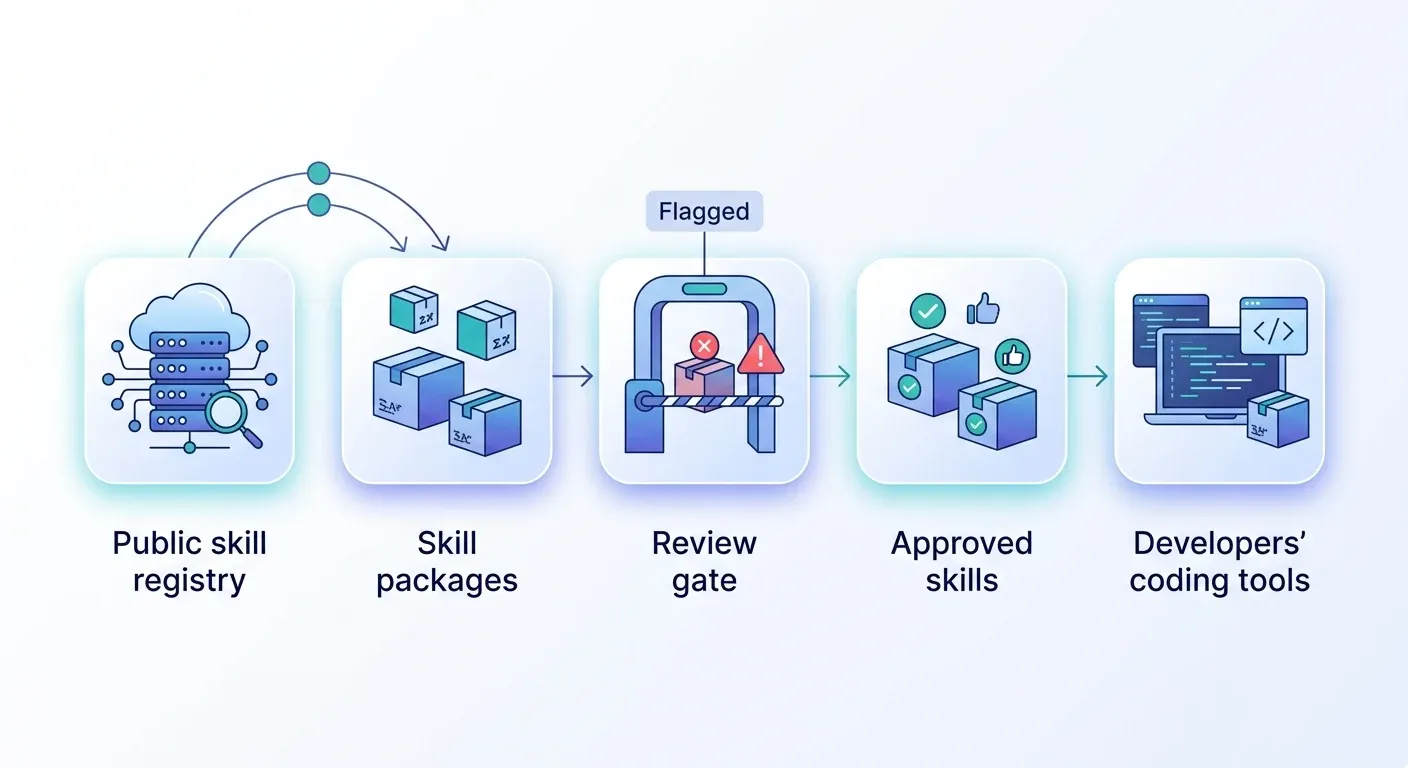
Not by default. Studies of public skill registries found critical security issues in roughly one in eight skills, and researchers have shown that marketplace scanners can be bypassed. A skill can include scripts and instructions that run with your agent’s access. Treat public skills like unreviewed software: read the whole package, and install only from a reviewed list.
A skill looks like a markdown file, which is why people install them casually. It often isn’t just a markdown file.
We build a product in this category. Skill Gateway is part of Jarvis Registry, and Jarvis is an open source project built and maintained by ASCENDING Inc. Read the product section with that in mind. The research and the checklist apply to any setup.
Key Takeaways
- A skill is a
SKILL.mdfile plus optional scripts and reference files. It can direct an agent to run code and call tools.- Snyk scanned 3,984 public skills and found critical-level issues in 13.4% of them, plus 76 confirmed malicious payloads.
- A scanner pass isn’t proof of safety. Trail of Bits bypassed five scanners, most in under an hour.
- Anthropic’s guidance is to use skills only from trusted sources and to audit every bundled file.
- A private catalog moves review inside your organization. It doesn’t perform the review.
- Skill Gateway scans every skill when it’s created or updated. A failed scan creates no new version and notifies the owner, so synced skills are always the latest clean version. A pass is a first filter, not approval.
Why can a public skill be risky?
A skill can include scripts and instructions, so installing one is closer to installing software than to reading a document. That’s the whole problem in one sentence.
In the Agent Skills format, a skill is a folder. It holds a SKILL.md file, and often reference files and executable scripts as well. Anthropic’s documentation says Claude runs those scripts through bash, with the same network access as any other program on the user’s computer in Claude Code.
Anthropic’s security guidance is direct: “Use Skills only from trusted sources: those you created yourself or obtained from Anthropic.” It warns that a malicious skill can direct Claude to invoke tools or run code in ways that don’t match the skill’s stated purpose.
Two details make review harder than it sounds:
- Instructions are an attack surface too. A skill doesn’t need a script to cause harm. Text that tells the agent to ignore a rule or hide an action can be enough.
- Skills can change after you review them. Anthropic notes that a skill that fetches external URLs can be compromised later, even if it looked fine when you read it.
What does the research show?
Every large scan of public registries found a material share of risky skills. The studies measure different things, so don’t add their numbers together.
| Study | Date | Sample | What it found |
|---|---|---|---|
| Snyk | Feb 5, 2026 | 3,984 skills from clawhub.ai and skills.sh | 534 (13.4%) with a critical-level issue; 76 confirmed malicious payloads; 8 still installable at publication |
| Liu et al., arXiv preprint | Jan 15, 2026 | 31,132 skills from two marketplaces | 26.1% with at least one vulnerability; 5.2% with patterns suggesting malicious intent |
| Palo Alto Networks Unit 42 | Jun 23, 2026 | ClawHub, Feb to May 2026 | Five malicious skills still unblocked, including two macOS infostealers |
The arXiv authors also found that skills bundling executable scripts were about 2.12 times more likely to contain a vulnerability than instruction-only skills. If you only have time to triage, start with the skills that ship code.
How to read these numbers
The rates differ because the studies define “risky” differently. Snyk’s 13.4% counts critical-level issues. The arXiv study’s 26.1% counts any vulnerability. Its 5.2% counts patterns that suggest deliberate malice.
Both large samples come from public registries, and Snyk’s comes from ClawHub and skills.sh. The arXiv team also reports its own detector at 86.7% precision and 82.5% recall, so its figures are estimates. Treat the numbers as evidence of a pattern, not as a rate for any one marketplace.
Don’t scanners catch the bad ones?
Not reliably. Scanners are a useful first filter and a poor final gate.
In June 2026, Trail of Bits reported that it bypassed ClawHub’s detector, Cisco’s skill-scanner and the three scanners integrated into skills.sh. Three of its four malicious skills took under an hour to build. The techniques were simple:
- Prepending 100,000 newlines so scanners truncated the file before the payload.
- Hiding code inside
.docxfiles and compiled Python bytecode, which static checks often skip. - Writing persuasive text that convinced an LLM-based reviewer the behavior was normal.
A Cloud Security Alliance research note summarizes a preprint that tested eight scanners against 1,613 real malicious ClawHub skills. It reports evasion above 90%. That’s a preprint, so weigh it accordingly.
The Unit 42 findings point the same way. One malicious skill carried a README followed by 22 MB of padding characters, which pushed it past scanner size limits.
There’s a trade-off here, and we’d rather state it. Scanning still catches unsophisticated attacks, so keep it. Just don’t read a pass as approval.
How do you vet and scan a skill before anyone installs it?
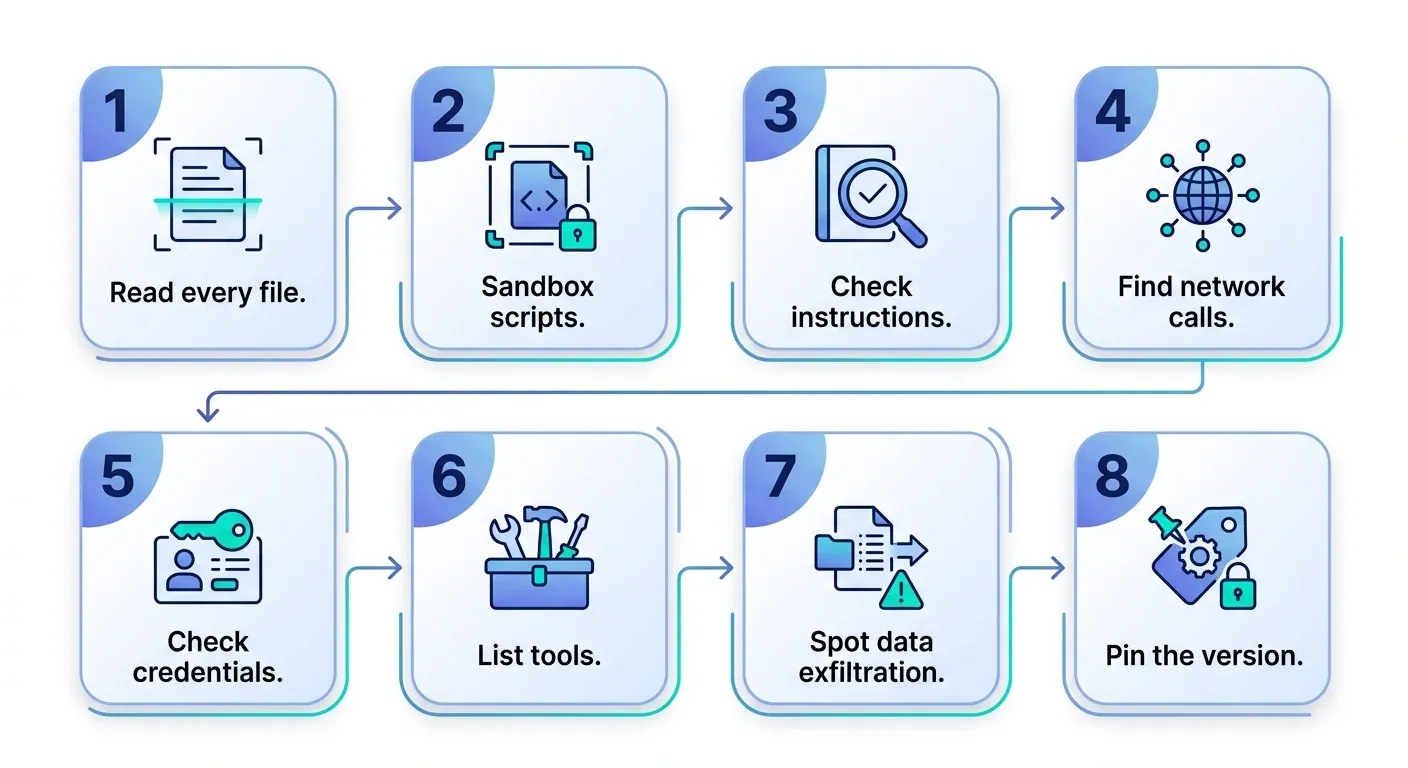
Read the entire package and judge each risk indicator. Anthropic’s Skills for enterprise guide has a full review checklist. Here’s a compact version based on it:
- Read every file. That means
SKILL.md, every referenced file and every script, not just the description. - Treat scripts as high risk. Look at
*.py,*.shand*.jsfiles, and run them in a sandbox before trusting them. - Look for adversarial instructions. Flag text that tells the agent to ignore rules, hide actions from the user or behave differently on specific inputs.
- Search for network calls. Check for
curl,fetch,requestsand bare URLs, and confirm where any redirects land. - Check for hardcoded credentials. Keys and tokens in skill files end up in git history and in the model’s context.
- List every tool the skill invokes. Include MCP server references. A skill that reads files and also has a network tool deserves extra scrutiny.
- Spot data exfiltration. Look for read-then-send patterns: instructions that read sensitive data and then encode or transmit it.
- Pin the reviewed version. Re-review every update as if it were a new skill.
Who should review
Anthropic’s guidance recommends separation of duties: skill authors shouldn’t be their own reviewers. It also suggests recording each skill’s purpose, owner and version in an internal registry.
If you want to test your process end to end, our post on private skill marketplaces describes a two-account test that covers access, updates and removal.
Is a private skill marketplace safer?
It changes who decides, not whether someone has to look. A private marketplace is an organization-controlled catalog of skills. It gives each skill an owner, a listing step, per-group access and controlled updates. Both Trail of Bits and the Cloud Security Alliance note recommend curated internal collections or allowlists over open marketplace access.
What it doesn’t do matters just as much:
- It doesn’t read the skill for you. A person still has to review the package before it’s listed.
- It doesn’t recall a file someone already copied. Removing access stops future installs, not past ones.
- It doesn’t decide where a connected model sends the content it reads.
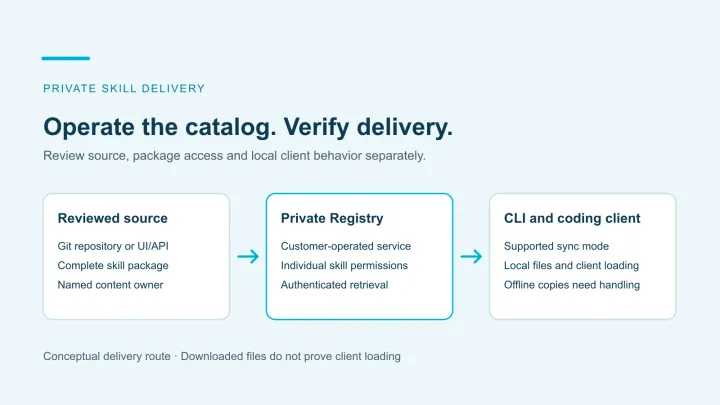
Skill Gateway is our take on this layer. It provides private management and group-based access for skills, supports one-way import from GitHub, and delivers skills to supported coding tools through the AI Skills CLI.
It also runs a security scanner automatically, and the scan gates the version. Whenever someone creates a skill or updates an existing one, Jarvis Registry scans it. A new version is only created if the scan passes. When developers sync, they always get the latest clean version, not whatever was most recently submitted.
That speaks directly to the “skills change after review” problem from earlier. An update that fails the scan doesn’t become the version developers receive, so a change can’t reach them by simply being uploaded. A failed scan also notifies the skill’s owner, so the problem lands with the person accountable for the skill instead of sitting unnoticed.
We’d be careful about what that buys you, given the research above. A scan is a first filter, and we’ve just shown that scanners can be bypassed. A passing scan means “clean” by that scanner’s standard, not “approved.” It doesn’t replace a human read of the package. Keep the review checklist and the named owner.
We cover the rest in private AI skill management. For the definition and a comparison with public directories, see what a private skill marketplace is.
What a skill review doesn’t cover
An approved skill still can’t authorize anything. A skill carries instructions, not permissions. If a reviewed skill mentions your ticketing system, it doesn’t gain the right to use it.
That boundary is also why Anthropic’s enterprise review guide rates skills that reference MCP servers as high risk. Those references extend the agent’s access beyond the skill itself, so check them during review.
Live tool access is a different layer. MCP tools run through a gateway with its own identity and policy, and the downstream system still decides what each user can touch. We explain that split in AI skills vs MCP tools and the MCP gateway buyer’s guide.
A practical next step: pick the skills your team already uses, run the checklist above on one of them, and decide what goes on a reviewed list. If you’d like to see how a private catalog handles that workflow, request a Jarvis demo and bring one skill and the coding tools you run today.
Last verified: October 11, 2026, against the Snyk, arXiv, Trail of Bits, Cloud Security Alliance, Unit 42 and Anthropic documentation cited below.
References
- Snyk, Exploring the Threat Landscape of Agent Skills
- Liu et al., Agent Skills in the Wild: An Empirical Study of Security Vulnerabilities at Scale (arXiv:2601.10338)
- Palo Alto Networks Unit 42, OpenClaw and ClawHub supply chain risk
- Trail of Bits, The sorry state of skill distribution
- Cloud Security Alliance, SkillCloak research note
- Anthropic, Agent Skills overview: security considerations
- Anthropic, Skills for enterprise
- Agent Skills format overview
- Jarvis Skill Gateway
Public agent skills security questions
Are public AI agent skills safe for company use?
Not by default. Scans of public registries found critical security issues and confirmed malicious skills, and Anthropic advises using skills only from trusted sources. Review the full package, including scripts and referenced files, before anyone installs it.
Can an agent skill steal credentials?
It can try. A skill can bundle scripts and instruct the agent to read files or send data out. Snyk and Palo Alto Networks' Unit 42 both documented skills in public registries that attempted credential theft or delivered infostealer malware.
Do skill scanners make public skills safe to install?
No. Researchers bypassed ClawHub's detector, Cisco's skill-scanner and the scanners integrated into skills.sh. Treat a scanner pass as a first filter, not as approval.
Does a private skill marketplace make skills safe?
No. It moves review and access control inside your organization, but someone still has to review each skill. Skill Gateway scans a skill when it's created or updated and only creates a new version if the scan passes, so developers who sync get the latest clean version. A failed scan notifies the skill's owner. That helps reviewers but doesn't replace them. See what a private skill marketplace is for how the two differ.
How do we scan agent skills for malicious instructions before approving them?
Use a scanner as a first filter, then have a person read the whole package: SKILL.md, every referenced file and every script, plus any network calls, credentials and tools it invokes. Researchers have bypassed several skill scanners, so a passing scan means clean by that scanner's standard, not approved. Pin the reviewed version and re-review every update. Skill Gateway runs a scan on create and update and creates a new version only if it passes, but that does not replace the human review.