A Cursor-to-Claude Code migration can preserve many settings, skills and subagents; inline Tab completion needs a separate decision. Skills and subagents often carry over unchanged, because Cursor also reads .claude/ folders. Review imported rules and MCP configs, and adapt hooks separately. Treat every mapping here as a proposed equivalent and test it before you roll it out.
A team can accumulate rules, hooks, subagents, MCP connections and habits built around Cursor’s cloud agents. Before a switch, ask what can be reused, what needs rebuilding and what the team would lose. This guide maps those objects using vendor documentation; it does not report a completed migration test.
Native import. Anthropic documents native Cursor configuration import, including a preview that writes nothing. Cursor support requires Claude Code v2.1.265 or later. The feature is unavailable through Amazon Bedrock, Google Cloud’s Agent Platform, Microsoft Foundry, Claude Platform on AWS or the Claude apps gateway, and with feature-flag fetching disabled. Imported configuration doesn’t prove that credentials, managed policy or runtime behavior transferred.
Mappings were checked against Cursor’s and Anthropic’s documentation on 2026-10-13 and rechecked on 2026-10-21. Both products change often, so check the linked pages before you act. For policy delivery and rollout stages, see our Claude Code managed settings guide.
Key Takeaways
- Skills and subagents can often be reused because Cursor reads Claude-compatible folders. Check installation paths and instruction-file precedence; import or adapt commands separately.
- Review imported rules and MCP configs. Hooks and org policy require separate adaptation and testing.
- Cursor’s Background Agents are now Cloud Agents. The nearest Claude Code feature is cloud sessions.
- Cursor Tab has no verified Claude Code equivalent. Measure your dependency on it first.
- Import is a starting point, not proof of an accepted team migration.
Does a Cursor Setup Move to Claude Code?
Mostly yes, in three groups: things that carry over, things you rebuild, and one gap. If you are working out how to switch from Cursor to Claude Code, start here: the table gives the verdict for each Cursor object. The sections below cover the ones that need care.
| Cursor | Claude Code | Status | Note |
|---|---|---|---|
Project rules (.cursor/rules/*.mdc) | CLAUDE.md and .claude/rules/*.md | Review and adapt | Inspect imported output. Rule modes don’t map one to one. |
AGENTS.md | Direct loading or explicit import | Version and precedence dependent | See the working-directory/ancestor rules below; direct support requires v2.1.277+. |
Skills (.cursor/skills/) | .claude/skills/<name>/SKILL.md | Maps | Both follow the Agent Skills format. Cursor also scans .claude/skills/ for compatibility. |
Custom commands (.cursor/commands) | .claude/commands/ or skills | Import or adapt | Inspect copied files; direct loading from the other tool’s folder is a separate question. |
Subagents (.cursor/agents/) | .claude/agents/ | Maps | Cursor reads .claude/agents/. Field names differ. |
Hooks (hooks.json) | hooks block in settings.json | Rebuild | Different events, output format and failure knobs. |
MCP (.cursor/mcp.json) | .mcp.json | Import and verify | Variable syntax differs; verify authentication and authorization separately. |
| Team rules, team hooks, MCP policy (dashboard) | Managed CLAUDE.md, managed settings, managed MCP servers | Rebuild | Different delivery route. |
| Cloud Agents (formerly Background Agents) | Cloud sessions | Nearest equivalent | Different account, repo and policy requirements. |
| Tab autocomplete | None verified | Gap | Plan for the loss. |
The diagram below is the same verdict at a glance. The table above carries the conditions, such as the version and precedence rules for AGENTS.md.
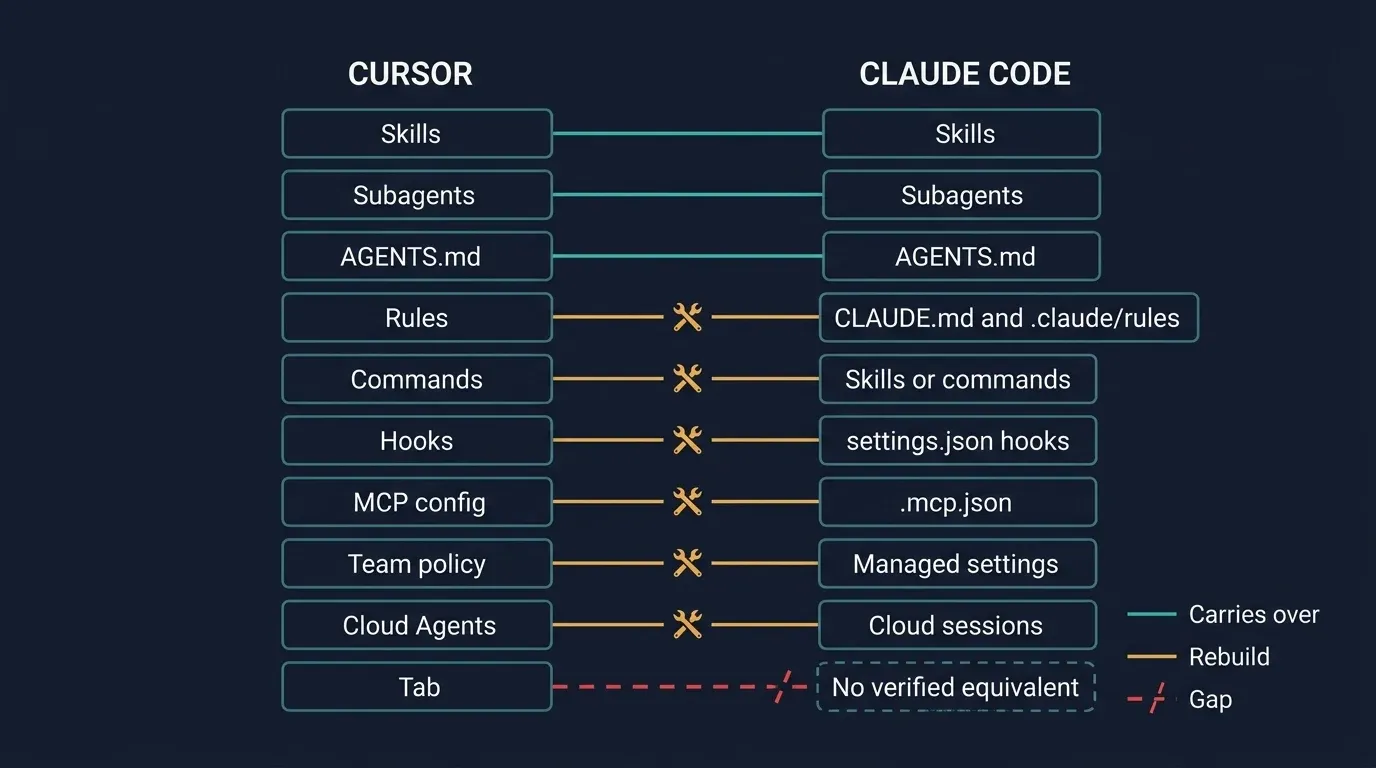
Start with the overlap. Cursor documents discovery of skills in .claude/skills/ and subagents in .claude/agents/ for compatibility. Those packages may need no conversion. Claude Code’s AGENTS.md loading has separate version and precedence rules, explained below.
Commands need a different check. Cursor’s /migrate-to-skills, available from Cursor 2.4, converts slash commands to skills. Claude Code treats a command file and a skill as the same thing. Adapt a command as a skill or copy it into .claude/commands/, then review the result. The linked guides do not document either tool directly loading the other’s commands folder.
Can One Skill Work Across Claude Code, Codex and Cursor?
A reviewed skill package can be shared; its installation and behavior still need a check in each client. Keep SKILL.md and its supporting files at the same source revision, with a named owner. A portable package does not transfer credentials, execution permissions or client-specific policy.
Claude Code documents project skills in .claude/skills/. Codex discovers .agents/skills/ along the working-directory path to the repository root. Cursor supports native and compatibility directories. Choose one intended installation route per client to avoid confusing duplicate copies. Local discovery is not proof of delivery to a remote or cloud worker.
For a migration pilot, choose a harmless instruction-only skill and save its revision. In a fresh session in each client, check that the intended package is discovered, its supporting files load and a representative task produces the required result. Verify connected-tool permissions separately. Record versions, delivery paths and failures instead of reporting that a copied folder “works everywhere.”
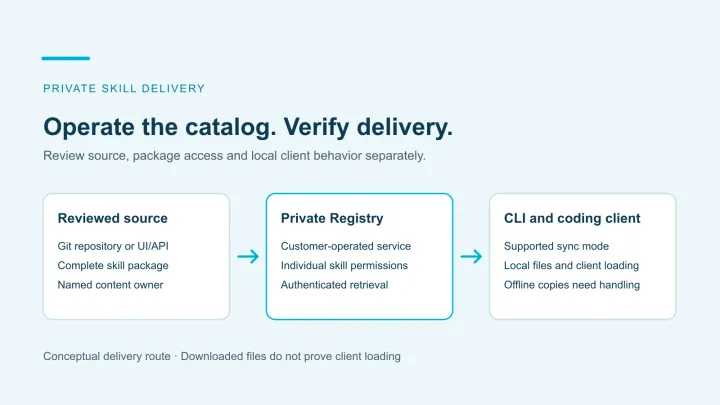
Git and native client installation can remain sufficient when they meet the team’s review and update needs. Evaluate Skill Gateway when the missing requirement is a private catalog, package permissions and authenticated distribution. It supports Git providers including GitHub and GitLab, and skills for Claude Code, Codex, Cursor and GitHub Copilot. Repository import is read-only and runs one way into Registry; it does not push Registry edits back to the source.
The Jarvis CLI has claude, codex and copilot modes. Cursor can use skills delivered into its compatible .claude/skills/ layout, so Cursor support does not require a separate cursor mode. Keep the CLI’s directory ownership rules and the actual client’s loading behavior in the pilot checks. Use the skill-lifecycle walkthrough to evaluate updates and access-removal limits.
This is the ongoing distribution decision. Keep it separate from Crosswalk’s migration-assessment scope below.
Rules, AGENTS.md and CLAUDE.md
For a focused instruction-file migration, use Cursor rules vs AGENTS.md. It adds a source-to-destination scope map and matching-file, unrelated-file and fresh-session acceptance tests.
Inspect imported instructions before adapting rules manually. For manual conversion, fold always-on rules into CLAUDE.md and put glob-scoped rules in .claude/rules/ with a paths: list. Check whether AGENTS.md loads if you keep one.
Cursor’s rules documentation describes four modes: Always Apply, Apply Intelligently, Apply to Specific Files, and Apply Manually. Only some have a direct Claude Code counterpart.
- Always Apply maps to
CLAUDE.md, or a.claude/rules/file with nopathsfield, which loads unconditionally. - Apply to Specific Files maps to a
.claude/rules/file withpaths:globs, which loads when Claude works with matching files. - Apply Intelligently and Apply Manually have no switch. A skill, which loads on its description or on
/name, is the closest option. ACLAUDE.mdsection works if the rule is short. Either is a judgment call, not a conversion.
Anthropic’s memory documentation advises keeping each CLAUDE.md under 200 lines and moving part-of-the-codebase instructions into path-scoped rules.
An .mdc file and its closest counterpart look like this:
<!-- .cursor/rules/api.mdc -->
---
description: API endpoint conventions
globs: src/api/**/*.ts
alwaysApply: false
---
- Validate input on every endpoint.
- Use the standard error response format.
<!-- .claude/rules/api.md -->
---
paths:
- "src/api/**/*.ts"
---
- Validate input on every endpoint.
- Use the standard error response format.The description field has no role in a path-scoped Claude Code rule, so it is dropped. Remove paths and the same file loads for every task, which turns a scoped rule into an always-on one.
The AGENTS.md trap
If your repository keeps both AGENTS.md and a CLAUDE.md, Claude Code reads the CLAUDE.md and skips AGENTS.md unless you import it. A small CLAUDE.md added during a trial is enough to stop direct AGENTS.md loading.
Direct support requires v2.1.277+ and an eligible session. Anthropic’s memory documentation defines these defaults. Here, “project/local files” means CLAUDE.md, .claude/CLAUDE.md or CLAUDE.local.md in the working directory or an ancestor.
| Your repository has | Claude Code reads |
|---|---|
AGENTS.md, no project/local files | AGENTS.md directly |
AGENTS.md and project/local files | Project/local instructions; no direct AGENTS.md loading |
A loaded CLAUDE.md containing @AGENTS.md | Includes AGENTS.md through the import |
Personal global and organization-managed CLAUDE.md files don’t trigger this fallback exclusion. Explicit import also works where direct support is unavailable. The Project instructions setting can select both formats; verify the actual loaded files.
How Do Cursor Hooks and Subagents Map to Claude Code?
Subagents map closely. Hooks keep their purpose but must be rewritten.
Subagents
Cursor’s subagents documentation lists project and user folders for .cursor/agents/, .claude/agents/ and .codex/agents/, with .cursor/ winning when names conflict. Claude Code’s subagents live in .claude/agents/. The frontmatter differs:
| Cursor field | Claude Code field | Note |
|---|---|---|
name, description | name, description | Same role |
model | model | Values differ by vendor |
readonly | tools allowlist or disallowedTools | No single flag. Restrict to read tools. |
is_background | background | Both run without blocking the main chat |
Claude Code adds fields Cursor doesn’t list, such as permissionMode, isolation, memory and per-subagent hooks. A subagent file written for one tool often loads in the other, but check that the fields you rely on mean the same thing.
Hooks
The idea is the same: a script runs at a lifecycle event and can allow or block the action. Everything around it differs. Cursor’s hooks are defined in hooks.json and Claude Code’s hooks in a hooks block in settings.json. Cursor lists more events than these; the closest pairs for common ones:
| Cursor | Claude Code |
|---|---|
sessionStart | SessionStart |
beforeShellExecution | PreToolUse, matcher Bash |
beforeMCPExecution | PreToolUse, matcher on mcp__<server>__<tool> |
afterFileEdit | PostToolUse, matcher Edit or Write |
beforeSubmitPrompt | UserPromptSubmit |
stop | Stop |
Cursor’s tab hooks (beforeTabFileRead, afterTabFileEdit) have no counterpart, since there is no Tab. Cursor hooks answer with a permission of allow, deny or ask. Claude Code hooks answer with a permissionDecision inside hookSpecificOutput, and can also return defer. In both tools, exit code 2 blocks the action.
Check failure behavior before rollout. By default, both tools can let an action through when a hook crashes or times out. That is fail open: the failed check does not stop the action.
Cursor documents "failClosed": true to block on crashes, timeouts and non-zero exits other than 2. Claude Code treats those other exits as non-blocking errors; a timed-out PreToolUse hook does not block the call by default. Its counterpart is onFailure: "block" on command and http hooks, available from v2.1.295.
Port that setting when a Cursor security hook relies on failClosed. Test the normal denial, then force a crash and timeout. A hook file loading successfully does not prove that the action is protected.
Does Claude Code Have Tab Autocomplete Like Cursor?
Anthropic’s linked VS Code documentation does not list Cursor-style Tab autocomplete. Claude Code’s agent interface and inline suggestions serve different parts of an editing workflow.
Cursor describes Tab as AI autocomplete that suggests code as you type from recent edits, surrounding code and linter errors. It can edit several lines, add missing imports, jump to the next predicted edit location and predict edits across files.
Anthropic’s VS Code extension gives you inline diffs, @-mentions of files and line ranges, plan review and multiple conversations. It does not list inline completions. People have asked for them on Anthropic’s issue tracker. The two requests we checked, #29978 for next edit suggestions and #45573 for inline completions, are both closed: one as stale, one as a duplicate. A closed issue is not a decision either way, so recheck before you rely on it.
For a team, first find out how much work depends on Tab. A short survey or a week of self-reported use can identify a minor preference or a material dependency. Keep an editor with completion alongside Claude Code, or evaluate a separate completion tool if needed. Anthropic’s extension page links an install for Cursor, so the two can run together. This documentation comparison does not rank third-party completion products.
”Background Agents” or “Cloud Agents”?
Cursor renamed Background Agents to Cloud Agents. The nearest Claude Code feature is cloud sessions. The term “background agents” still shows up in older posts, forum threads and AI answers, and it now points at several different things.
| Term | Tool | What it means |
|---|---|---|
| Background Agents | Cursor | The former name of Cloud Agents |
| Cloud Agents | Cursor | Agents in isolated cloud VMs with your repo, dependencies, secrets and network. Launched from the web, desktop, iOS, Slack, GitHub, Linear or an API. Billed at API pricing for the model. |
Subagent with is_background: true | Cursor | A local subagent that returns immediately instead of blocking |
| Cloud sessions (Claude Code on the web) | Claude Code | A session on Anthropic-managed or self-hosted infrastructure. Started from claude.ai/code, the mobile app, Desktop, or claude --cloud. Pulled back to a terminal with --teleport. |
| Background subagents | Claude Code | Local subagents with background: true, tracked in /tasks |
What changes when you move
Treat cloud sessions as the closest functional match, not an identical one.
- Account. Cloud sessions need a claude.ai sign-in. An API key, Amazon Bedrock or Google’s provider setup doesn’t qualify, and your organization’s
allow_remote_sessionspolicy must be on. - Source control. Cursor lists GitHub, GitLab, Azure DevOps and Bitbucket. Claude Code’s cloud sessions clone and open pull requests on GitHub, including GitHub Enterprise Server on Team and Enterprise plans. A GitLab or Bitbucket repository can be sent as a local bundle but can’t push back.
- Hooks and skills. Cursor’s cloud agents run only command-based hooks, and personal skills need syncing in Settings to reach them. Claude Code cloud sessions pick up subagents from the repository’s
.claude/agents/and settings from its.claude/settings.json. - Policy. Organizations with zero data retention or the HIPAA configuration can’t use cloud sessions. Our Claude Code governance and HIPAA guide covers that boundary.
Anthropic’s PR auto-fix watches a pull request for CI failures and review comments. Its routines run a saved prompt in the cloud on a schedule, on an API call or on GitHub events. We did not verify Cursor counterparts for these features. Anthropic marks routines as a research preview.
What Does Not Carry Over, and What to Check Before Rollout
If GitHub Copilot is also on the shortlist, run the Copilot readiness assessment for engineering teams. Define the repository and feature scope separately, including completion needs and the documented limits of content exclusions.
Plan for credentials, chat history and personal settings not to move, and verify every mapping on your own repositories. The linked vendor guides do not document an import route for Cursor chat history, memories or saved sessions.
Set up secrets through the target environment’s approved credential process; do not copy them into migrated instruction files. Review data use, retention and exit terms for both vendors. Our AI vendor risk assessment checklist covers the tool you adopt and the one you leave.
Some Cursor features we did not check for a Claude Code counterpart: checkpoints, queued messages, side chats and the /goal directive. We make no claim about them either way.
Review the MCP configuration after import, or adapt it manually if import is unavailable. Both tools use an mcpServers object. Cursor’s config lives in .cursor/mcp.json and uses ${env:NAME} and ${workspaceFolder}. Claude Code’s config lives in .mcp.json for shared project servers, uses ${VAR} and ${VAR:-default}, and takes a type field such as http or stdio. For the policy side, see our MCP governance checklist and, for how skills and MCP tools differ, AI skills vs MCP tools.
A rollout checklist for one repository
- Start Claude Code and confirm the right instruction files load, using
/contextto list memory files. - Check instruction precedence, including ancestor files and
CLAUDE.local.md; explicitly importAGENTS.mdif needed. - Open a file under a path-scoped rule and confirm the rule appears.
- Port one hook and confirm it blocks a test action. Then force it to fail and confirm what happens.
- Confirm your subagents and skills appear and run.
- Confirm each MCP server connects with its credentials.
- Start a cloud session under your organization’s policy, if you use cloud agents today.
- Ask the team to name the Tab features they would miss.
Teams planning a wider move can use our AI readiness checklist for the questions beyond tooling.
Turn the mapping into a rollout decision
Suppose a pilot’s skills load correctly, but its ported security hook lets a forbidden action through after a timeout. The feature mapping is mostly complete; the sensitive workflow is not ready. Hold that workflow until the hook’s failure policy passes the test.
If the remaining gap is Tab, the decision is different: keep completion alongside the agent and compare the team’s actual editing work. These are example decisions, not pilot results. Record the missing behavior and its owner rather than declaring the migration complete because the files imported.
Where Jarvis Crosswalk Fits
Before a team-wide switch, inventory the rules, hooks, subagents, skills and MCP servers your repositories depend on. Our coding agent migration readiness assessment shows how to inventory them across every tool in use. The same assessment applies to other moves: see moving from Codex to Claude Code for the Codex checklist and moving a company from ChatGPT to Claude for the workspace side.
We build Jarvis Crosswalk at ASCENDING Inc. If you’re evaluating it, confirm its current collection coverage, assessment outputs and delivery scope with our team. Don’t assume an available automated scanner or a tested migration path. The checks above apply with or without it. To discuss one set of repositories, use our contact page.
Conclusion
Most of a Cursor setup has a Claude Code equivalent. The work is in the details.
- Skills, subagents and
AGENTS.mdmostly carry over, and commands convert to skills. Check theAGENTS.mdandCLAUDE.mdprecedence. - Review imported rules and MCP configs, and adapt org policy separately. Re-test every security hook.
- Background Agents are now Cloud Agents, and cloud sessions are the nearest Claude Code feature.
- Tab has no verified equivalent. Measure the dependency and decide before you switch.
References
- Cursor: Rules, Skills, Subagents, Hooks, MCP, Cloud Agents, Tab
- Anthropic: Memory and CLAUDE.md, Skills, Subagents, Hooks, MCP, Claude Code on the web, Routines, VS Code extension
- Anthropic issue tracker: #29978, #45573
- Shared packages and delivery: OpenAI skills, Jarvis Skills CLI, Jarvis private skill lifecycle
Cursor to Claude Code questions
How do I switch from Cursor to Claude Code?
Inventory what your team has built in Cursor first: rules, AGENTS.md files, skills, commands, subagents, hooks, MCP servers and any Cloud Agents (formerly Background Agents). Preview native import where supported, then review what remains to adapt. Hooks and org policy need separate verification, and Tab has no verified equivalent. Test each mapping on one repository before a team rollout. Start with the managed settings guide for the policy side.
How do I convert Cursor rules (.mdc) to CLAUDE.md?
Preview native import where supported, then inspect the resulting rule scope. For manual adaptation, put always-on rules in CLAUDE.md and glob-scoped rules in .claude/rules/ with a paths: list. Rules that Cursor applies by description or by @-mention need a separate design decision. Anthropic's memory documentation targets under 200 lines per CLAUDE.md.
What is the difference between Cursor rules, AGENTS.md and CLAUDE.md?
Cursor rules are .mdc files in .cursor/rules/, each with a mode that controls when it applies. CLAUDE.md is Claude Code's instruction file, with scoped rules in .claude/rules/. AGENTS.md is a cross-tool instruction file that both can read. In Claude Code, direct AGENTS.md loading requires v2.1.277+ and is skipped by default when a CLAUDE.md, .claude/CLAUDE.md or CLAUDE.local.md sits in the working directory or an ancestor. An @AGENTS.md import in CLAUDE.md includes it anyway. See Anthropic's current loading rules.
How do Cursor hooks and subagents map to Claude Code?
Subagents map closely: Claude Code reads .claude/agents/, and Cursor reads that folder too. Hooks keep their purpose but need rewriting. Event names, config location and output format differ, so a hook that blocks in Cursor does not block in Claude Code until you port and test it.
Does Claude Code have tab autocomplete like Cursor?
Anthropic's linked VS Code documentation does not list Cursor-style inline autocomplete. Cursor Tab suggests code as you type; Claude Code's extension provides an agent interface with diffs, @-mentions and plan review. Measure your team's reliance on Tab and decide whether to retain a completion tool alongside Claude Code. Recheck Anthropic's VS Code documentation before rollout.