
No. As of 2026-11-25, Anthropic’s documentation lists no inline code completion or next-edit suggestion in Claude Code. We found no Anthropic explanation for this. Our reading is that Claude Code is built around chatting with an agent rather than typing in an editor.
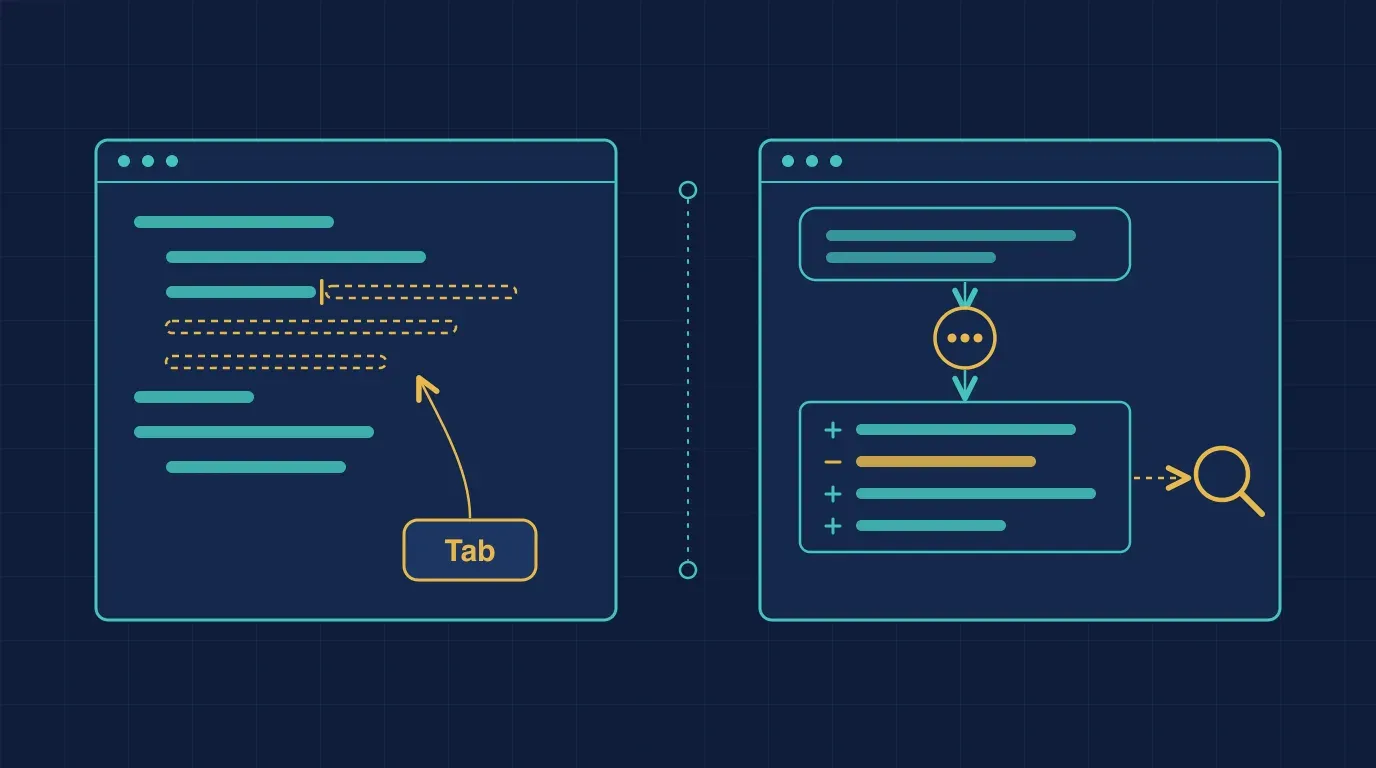
Tab completion is the editor feature where you press Tab to accept a suggestion for the code you are typing. In general, classic versions finish names and snippets. Cursor’s Tab goes further: it suggests multi-line edits, missing imports and the next likely edit location.
If your team is weighing a move from Cursor, this guide covers what Tab does in each tool, what Anthropic has said about it, how to measure how much your developers depend on it, and what to run alongside Claude Code if the answer is “a lot”. For the wider mapping of rules, hooks and subagents, see our Cursor to Claude Code mapping.
Key Takeaways
- Claude Code is not a code editor. You mainly chat with an agent that makes the edits while you direct and review them.
- Cursor starts from the other end: you open it like VS Code and edit code yourself, with AI suggestions woven into your typing.
- In the author’s view, Tab completion keeps a developer close to the code as they edit it, and Claude Code adds a layer between you and the code, so reviewing and proofreading what the agent writes matters more, not less.
- Tab in Claude Code completes things in the prompt box, such as file paths and suggested prompts. It does not complete code in your files.
- We found no public Anthropic commitment to add inline completion.
- Before you switch, measure how much of your team’s work depends on Tab, then decide whether to keep a separate completion tool.
Does Claude Code Have Inline Autocomplete Like Cursor Tab?
No. The Claude Code CLI, VS Code extension and JetBrains plugin do not list inline ghost-text completion. We checked Anthropic’s documentation on 2026-11-25. Recheck the linked pages before you rely on this, because both products change often.
Cursor’s documentation describes Tab as AI-powered autocomplete that bases its suggestions on your recent edits, surrounding code and linter errors. It can also suggest coordinated edits across related files.
Anthropic describes Claude Code’s VS Code extension as AI coding assistance with inline diffs, @-mentions, plan review and keyboard shortcuts. Its JetBrains integration opens diffs in the IDE’s diff viewer and shares your selection and open file as context. Neither page lists completions as you type.
Two tools, two ways of working
The gap makes more sense once you see the design difference. In Claude Code, you describe what you want in a chat, the agent reads files, edits them and runs commands, and you review what it did. You are not typing code into a file with an assistant finishing your sentences. Cursor is based on the VS Code codebase: you open files, write and change code yourself, and AI suggestions appear as you work.
That is our reading of the two designs, not a vendor statement, and it is not a ranking. Cursor also includes AI features beyond Tab, and Claude Code’s extensions let you see diffs and open files in your editor. The difference is the starting point. In one tool the agent is the main interface and the editor is where you review. In the other the editor is the main interface and the agent is one of the things inside it.
So “where is Tab?” is partly a question about how you want to work. If most of your day is typing code that an assistant can finish, Tab will matter a lot. If most of it is describing changes and reviewing results, it will matter less.
What Does Tab Completion Do for a Developer, and What Does Claude Code Change?
Tab completion is a way of working with code as you edit it, and it changes what a developer has to hold in their head. This section is the author’s view, written in the first person, not a vendor claim.
In the past, completion let developers choose longer, more descriptive variable and function names without worrying about memorizing or retyping them. The developer still wrote every line and stayed close to the code, while the editor removed the cost of typing and remembering names.
Claude Code puts another layer between the developer and the code. You describe the change, the agent writes it, and you read the result. That can be a good trade for many tasks, but it means the code reaches you as something to review rather than something you just typed.
For that reason I advocate that the developer always reviews and proofreads what the agent produces. An AI tool cannot take responsibility for the code, and it cannot know how well a particular developer can read it. The person who ships the change is the person who has to understand it. Whichever tool your team uses, treat agent output as a draft to read closely, not a result to accept.
What Does the Tab Key Do in Claude Code?
Tab accepts suggestions in the prompt box. It does not complete code in your files. People use “tab completion” for two different things, and this section covers the second. Anthropic’s interactive mode documentation describes these cases:
| Where you press Tab | What it does |
|---|---|
| Prompt box, while an autocomplete suggestion shows | Accepts the selected suggestion |
! bash mode, partial command | Completes from earlier ! commands in the current project |
! bash mode, path such as ./src/ | Shows matching files and directories; Tab accepts |
| After Claude replies (CLI) | Places a suggested next prompt in the input; Enter submits it |
The VS Code documentation includes a CLI-versus-extension table with a row for Tab completion: yes in the CLI, no in the extension. That row appears to refer to this prompt-box behavior rather than code completion, so we do not read it as a gap in coding assistance. In the extension’s chat panel, the documentation says a suggested next prompt appears as gray text and Tab turns it into editable text.
One cost note for admins: each prompt suggestion uses a short background request that counts toward your plan’s usage limits or API costs, according to Anthropic’s interactive mode documentation. Admins can turn prompt suggestions off across an organization with the promptSuggestionEnabled setting in managed settings.
Has Anthropic Said It Will Add Inline Completion?
We found no public commitment. Users have asked, and none of the requests we checked records a maintainer decision:
- #29978 asked for VS Code next edit suggestions. It was marked stale and closed as not planned, with no maintainer comment.
- #45573 asked for inline and tab completions in the VS Code and JetBrains extensions. It was closed as a duplicate of #29978.
- #99903 asks for ghost-text completions in the VS Code extension. It was opened in October 2026, was labeled stale in late November, and was still open when we checked on 2026-11-25.
A closed issue is not a decision either way, and an open one is not a promise. Treat inline completion as unavailable for planning purposes, and follow the open issue if you want to watch for change.
How Do You Measure Tab Dependency Before You Switch?
List what your developers use Tab for, then test the loss with a short pilot instead of relying on opinions. We have no pilot results to report. This is a suggested method, not a measured one.
Step 1: List the Tab behaviors
Ask which of these people lean on: adding imports, accepting multi-line edits, jumping to the next edit location and cross-file edits (the behaviors Cursor documents for Tab), plus anything else your team relies on, such as finishing boilerplate.
Step 2: Ask, then observe
Run a short survey, then ask for a week of self-reported use. People can underestimate habits they no longer notice, so pair the survey with a few observed sessions. Check whether Cursor’s own settings or dashboards show Tab usage before you rely on a number from them.
Step 3: Run a pilot
Give a small group the same kinds of tasks in two setups: Claude Code on its own, and Claude Code with a separate completion tool. Record what slowed them down and what they stopped missing. As an illustration, not a result, one pilot task could be adding a new field across three files, once with and once without a completion tool.
Step 4: Decide
Sort the result into three outcomes and name an owner for each:
- Minor preference. People miss Tab but their work does not suffer. Proceed.
- Material dependency. Work is slower or more tiring without it. Keep a completion tool and budget for it.
- Blocker. A role cannot do its work without inline completion. Do not move that role yet.
What Can You Run Alongside Claude Code for Inline Completion?
Claude Code does not provide inline completion, so you would pair it with a separate editor-level tool. Vendor documentation describes the options below. We have not tested how any of them combines with Claude Code, so treat each combination as something to pilot, not a recommendation.
| Option | What the vendor documentation describes | What to test with Claude Code |
|---|---|---|
| Cursor itself | Anthropic’s VS Code page links an install path for Cursor | How the extension behaves next to Cursor Tab (not documented) |
| GitHub Copilot | Inline suggestions and next edit suggestions in supported editors | Plan limits (check GitHub’s current pages) and behavior beside Claude Code |
| JetBrains AI Assistant | Code completion inside JetBrains IDEs | Behavior beside Claude Code’s JetBrains plugin (not documented) |
| Zed | Edit prediction in its editor | How Claude Code runs there (not verified) |
Some developers describe running two tools, one for completion and one for agent work, for example in Builder.io’s Claude Code write-up. That is a pattern people describe, not evidence that it suits your team.
What Does a Second Tool Add for a Team?
A second cost line, a second data path and a second set of controls. Ask these questions before you add one:
- What does each tool cost per seat, and what usage limits apply?
- What code context does each tool send, and who approved it?
- Which admin settings govern each tool? See our guides to governing Claude Code for IT and Claude Code managed settings.
- Does your security review and procurement already cover both?
Conclusion
Whatever you decide about Tab, keep a person responsible for reading the code. The agent writes it, but the developer owns it.
Before you move a team, measure how much it depends on Tab, and plan for a separate completion tool if the pilot shows a real need. Then work through the wider inventory in our migration readiness assessment, and return to the Cursor to Claude Code mapping for rules, hooks and subagents.
Last verified: 2026-11-25.