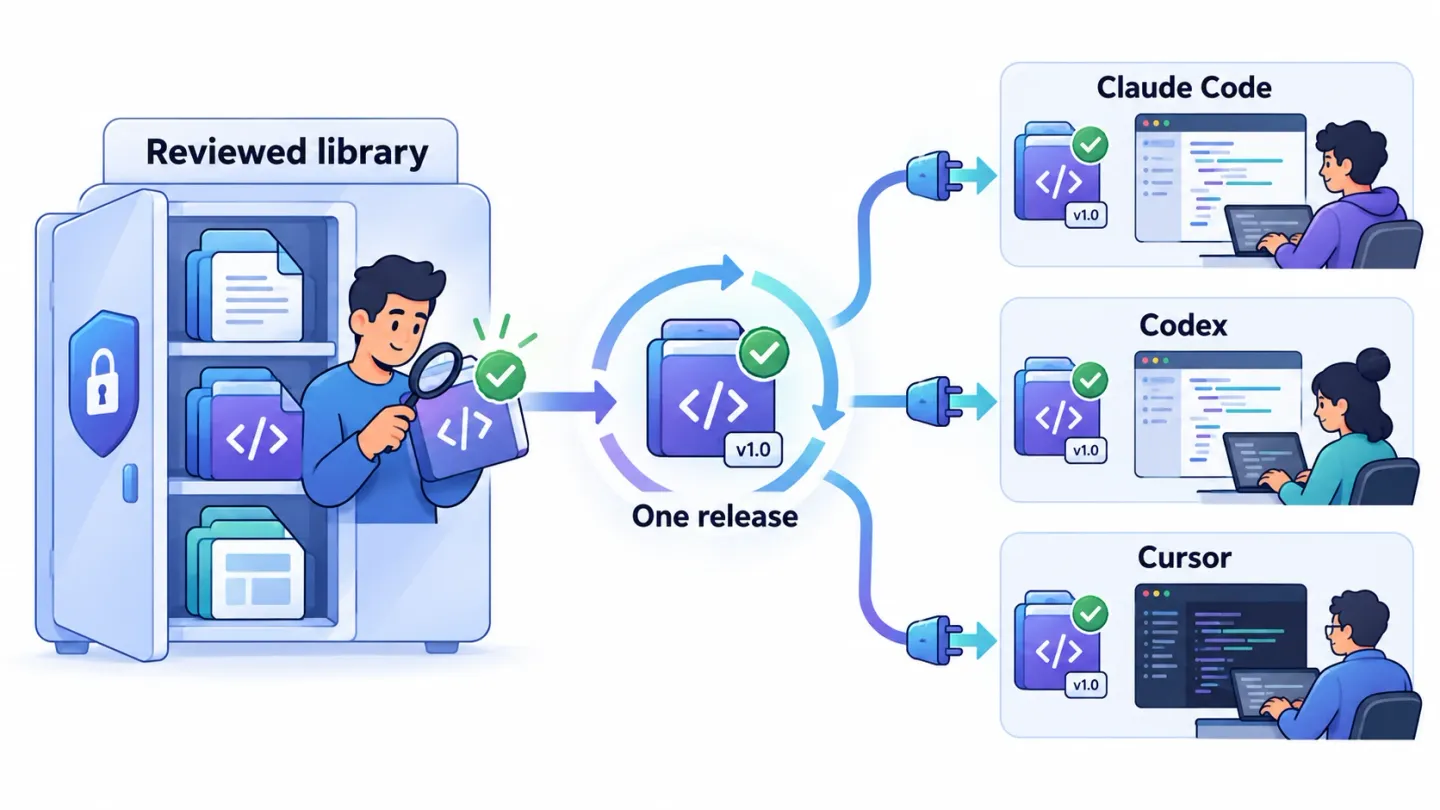
Codex skills can share a reviewed source library with Claude Code and Cursor. The reliable unit is a pinned package containing SKILL.md and its supporting files. Install that release into each client’s documented location, keep client-specific settings explicit and test the same task in every supported client.
The SKILL.md explainer covers file syntax. This guide covers the team’s release process: source ownership, adapters, installation evidence, updates and rollback.
Last verified: October 27, 2026, against the linked client documentation. Examples describe a proposed release process, not a completed three-client product benchmark.
Disclosure: ASCENDING Inc builds and maintains Jarvis, an open source project with a Skill Gateway for this category.
A shared library for Claude Code, Cursor and Codex skills
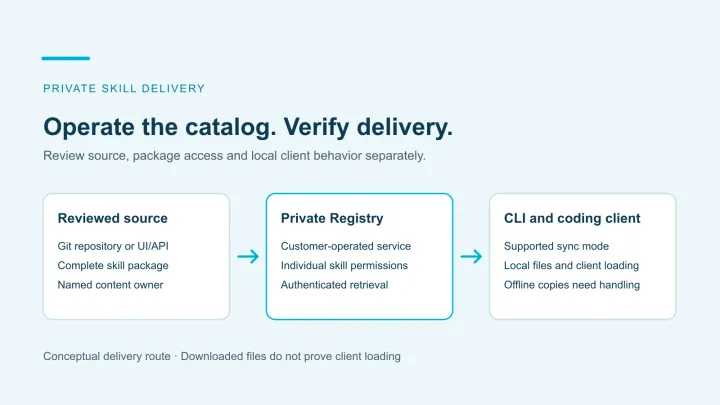
Separate three things that often become one folder on a developer’s laptop:
- Source: the reviewed instructions, scripts, references and templates.
- Release: an immutable revision with a compatibility record and approval.
- Installation: the files and settings available to one client in one environment.
The Agent Skills specification defines a directory with a required SKILL.md file and optional supporting resources. It doesn’t make every agent’s discovery, permissions or tool integration identical.
| Question | Shared source | Client adapter | Installation record |
|---|---|---|---|
| What should the workflow do? | Instructions and expected output | Client-specific invocation details | Actual result from a fixture |
| Which files belong together? | Package contents | Destination and supported extras | Installed file hashes |
| Who approved the change? | Review record | Compatibility reviewer | Approved revision installed |
| How do we undo it? | Previous release | Client-specific rollback steps | Result after rollback |
This separation adds a small release-maintenance cost. It becomes useful when several clients or teams need the same workflow and silent drift would be expensive.
Choose the source before the installation folders
Store the canonical package in a repository or private catalog with a named maintainer. Require review for instructions and executable resources alike.
For a proposed release-notes skill, the source might contain:
skill-library/
  release-notes/
    SKILL.md
    references/release-policy.md
    assets/release-note-template.md
    tests/sample-changes.txt
Keep installation output separate from the source of truth. An engineer editing a local copy should submit the change upstream before the next release distributes it.
Use an immutable commit or artifact digest as the release identity. A mutable branch name such as main isn’t enough to reconstruct what a client used last month.
Codex skills and the client adapter contract
Codex skills: verify the documented discovery path
OpenAI’s skills documentation describes repository discovery through .agents/skills from the working directory toward the repository root. It also documents explicit invocation and optional configuration in agents/openai.yaml.
Don’t treat a successful installation for one interface as proof for every local, remote or cloud session. Record the client version and environment used for acceptance.
Claude Code and Cursor: avoid duplicate installations
Claude Code documents project skills under .claude/skills. Cursor documents .agents/skills and .cursor/skills, plus compatibility with Claude and Codex skill locations.
That compatibility can expose two copies of the same package if your installer writes every possible folder. Choose one intended discovery route per client and inspect the available skills after installation.
| Local repository target | Documented project route | Adapter check |
|---|---|---|
| Codex | .agents/skills/<name>/SKILL.md | Package is discovered from the actual working directory |
| Claude Code | .claude/skills/<name>/SKILL.md | Intended package wins when another same-named skill exists |
| Cursor | .agents/skills or .cursor/skills; compatibility routes also exist | A second generated copy doesn’t create ambiguity |
Keep the shared instructions within the common format. Put optional platform policy in the adapter, and document any behavior that has no equivalent on another client.
For example, a client-specific field controlling automatic activation isn’t a portable authorization boundary. The host’s tool permissions still determine what the workflow can do.
Release one reviewed skill to three clients
Start with a small workflow that has a clear output and no external side effects. A release-note draft is easier to compare than an automated deployment.
An illustrative release manifest could be:
{
  "skill": "release-notes",
  "release": "2026-10-27.1",
  "sourceCommit": "<immutable source commit>",
  "packageDigest": "<digest of the reviewed package>",
  "supportedClients": ["Claude Code", "Codex", "Cursor"],
  "fixture": "sample-changes.txt",
  "expectedOutput": "draft with changes, risks and validation"
}
Replace the placeholders with actual release evidence in your own implementation. This is a design example, not a manifest format required by the Agent Skills standard.
The release reviewer should inspect scripts, dependencies, network destinations and secret references. A harmless-looking instruction file can call a script with broader effects.
Use the public agent skill safety guide for intake review. Use private skill management for approval and access decisions after intake.
Test discovery, invocation and rollback
Run the fixture from a fresh session using an ordinary team member’s permissions. Save the client version, installed revision and observed result.
| Test | What to exercise | Pass evidence |
|---|---|---|
| Discovery | Start from the repository root and a relevant subdirectory | Intended skill appears without an unexpected duplicate |
| Explicit invocation | Select the skill by name | Client loads the approved instructions |
| Task matching | Ask a representative release-note question | Activation behavior matches the documented policy |
| Resource loading | Require the template and reference | Referenced files are available at their installed paths |
| Permission boundary | Attempt an unapproved external action in a sandbox | Host permissions block it or require the intended approval |
| Rollback | Restore the previous package and start a new session | Previous files and expected behavior return |
The output doesn’t have to be word-for-word identical. Define meaningful invariants: required sections, correct source facts, no invented release details and no unauthorized action.
If the skill needs shell commands, test on every supported operating system. A portable instruction format doesn’t make a Bash script run unchanged in PowerShell.
Shared skill updates need a consumer inventory
Record which projects and managed environments received each release. Otherwise a successful update tells you little about the copies still running elsewhere.
When withdrawing a skill, distinguish future distribution, managed file removal and downstream access. Downloaded instructions may remain readable even after catalog access is removed.
Our AI identity governance guide explains why backend credentials and workload permissions need their own removal tests.
When to add a private SkillGateway
Git can be sufficient for a small team using repository-local skills. Add a distribution service when you need centralized discovery, approvals, access control or release visibility across projects.
The Jarvis Skill Gateway page describes private distribution through the AI Skills CLI and lists Claude Code, Codex, GitHub Copilot and Cursor. Verify the installed CLI’s supported targets and permission behavior in your environment.
Ask any provider to demonstrate a pinned release, a failed update, an access removal and a rollback. A product listing establishes documented scope; those tests establish whether it meets your operating requirements.
Use the private skill marketplace guide to compare distribution approaches. If you’re also cataloging running agents, the agent registry vs skill registry comparison separates their lifecycle records.
References
- Agent Skills specification
- OpenAI: build skills
- Claude Code: extend Claude with skills
- Cursor: Agent Skills
- Jarvis Skill Gateway
Sharing skills across Claude Code, Codex and Cursor
How do we share AI skills across Claude Code, Codex and Cursor?
Keep one reviewed source package, then install a pinned revision into the locations each client discovers. Track client-specific settings separately and test discovery, explicit invocation and task results in every supported client.
Can all three clients use the same skills folder?
Codex and Cursor document .agents/skills for project skills. Claude Code documents .claude/skills, which Cursor also supports for compatibility. Use a controlled installation or adapter process rather than assuming every client reads one location.
Are client-specific skill settings portable?
The shared SKILL.md format is portable, but invocation policy, UI metadata, tool integrations and execution permissions can differ. Keep the common instructions reusable and verify each client's configuration against its current documentation.
Can we revoke a skill after someone downloads it?
Stopping future downloads doesn't erase installed copies. Remove managed installations where supported, rotate exposed credentials if necessary and enforce access to connected systems independently of the skill files.